

Technology management is the practice of organizing and directing digital resources to support learning, security, and instructional continuity in schools. It matters because it connects infrastructure, people, and policies, ensuring that devices, networks, and data serve educational goals while protecting sensitive information.
In schools, technology management faces challenges such as outdated infrastructure, limited teacher training, and digital security risks. At the same time, it creates opportunities for pedagogical innovation and inclusion. This article explores key concepts, practical steps, comparisons, benefits, limitations, technical considerations, and recommendations for effective technology management in educational institutions.

Essential concepts in technology management
Fundamentals and terminology
Technology management covers inventory, governance, network administration, and acceptable-use policies, ensuring digital resources support teaching. Mapping assets such as devices, licenses, and cloud services is important for understanding risks and needs. Related terms include information security, instructional continuity, and IT governance, which guide strategic and budget decisions at school.
Understanding the terminology makes communication among administrators, instructional coordinators, and technical staff easier. Clear concepts help prioritize investments and establish a foundation for performance metrics. A shared vocabulary reduces rework and makes technology operations more efficient.
Clear documentation, combined with well-defined policies, makes it possible to assess educational and operational impact. This helps schools align technology with instructional goals, improve system interoperability, and reduce operational failures.
- Asset inventory (hardware, software, licenses)
- Security and privacy policies
- Continuity and backup plan
- Training and technical support
Governance models
Governance models guide how technology decisions are made at school by defining responsibilities, committees, and approval processes. An effective model brings together instructional and technical staff, balancing educational needs with budget constraints. This prevents isolated decisions and ensures alignment with the school’s instructional plan.
Clear governance makes it easier to comply with data protection standards and vendor contracts. Purchasing, maintenance, and disposal policies become standardized, reducing hidden costs and legal risks. Stakeholder participation promotes greater buy-in for these policies.
Adopting key metrics and conducting regular reviews makes it possible to adjust the model as the school grows or technology changes. Quarterly reports and usage metrics help maintain transparency and justify investments.
Architecture and infrastructure
Technology architecture defines the network topology, servers, access points, and cloud services needed to support in-person and remote learning. Assessing bandwidth capacity, redundancy, and physical security is essential to reducing disruptions. Hybrid strategies combine local servers and cloud services to optimize cost and performance.
Scalable deployments can accommodate more devices and growing demand for video and educational platforms. Best practices include segmenting networks for students and administrative staff, setting QoS policies, and regularly updating firmware. Proactive monitoring detects bottlenecks before they affect classes.
Investing in adequate infrastructure reduces lost productivity and ensures a consistent digital experience. Availability reports and latency metrics help inform upgrades and connectivity improvements.
Practical implementation of technology management
Initial planning and assessment
Start with a detailed assessment of the school’s technology resources: number of devices, software in use, bandwidth capacity, and staff skills. This inventory guides priorities and budgets. The assessment also identifies vulnerabilities and training gaps that affect security and instructional use.
Including teachers and administrators in the assessment ensures that it reflects instructional needs and increases buy-in for change. Record results in spreadsheets or inventory systems to track the life cycle of assets. A thorough inventory reduces duplicate purchases and improves maintenance planning.
Based on the assessment, set short-, medium-, and long-term goals and create a roadmap of the actions and resources needed. This planning prevents disruptions and aligns investments with educational goals.
Implementation step by step
Organize implementation into clear phases, prioritizing security and instructional continuity. The plan should cover purchasing, configuration, testing, and training. Ongoing monitoring and adjustments after pilot programs are essential to validate technical and operational decisions.
Establish acceptable-use policies from the outset and communicate expectations to the entire school community. Set internal SLAs for handling support requests and escalation procedures for critical issues to ensure a fast, predictable response.
Maintain regular review and update cycles to adapt to new instructional and technology needs, ensuring the infrastructure and practices continue to evolve.
- Complete a full inventory of resources.
- Define clear policies and responsibilities.
- Implement basic security measures (authentication, backups).
- Train staff and teachers with practical materials.
- Monitor results and make adjustments based on metrics.
Ongoing training and support
Ongoing training for teachers and technical staff is essential to making the most of available resources for teaching. Training programs should combine digital skills, information security, and the integration of technology into instructional practices. Hands-on training builds confidence and encourages tool adoption.
Set up a support service with clear channels (help desk, chat, tutorials) and support tiers. A well-defined SLA reduces average resolution time and improves user satisfaction. Log support requests and resolutions to build a knowledge base.
Peer mentoring and innovation labs encourage sharing experiences and creating technology-based instructional projects. This extends educational impact beyond infrastructure and strengthens digital culture at school.
Comparing technology management approaches

Centralized vs. decentralized models
In centralized models, the IT team manages purchasing, configurations, and policies across the institution, ensuring consistency and security. This simplifies maintenance and compliance, but can create bottlenecks and limit instructional autonomy. A decentralized model delegates decisions to campuses or departments, promoting speed and local flexibility, but requires careful coordination to avoid fragmentation.
The right choice depends on the institution’s size and process maturity. Schools with multiple campuses tend to favor centralization, while smaller schools may benefit from decentralized flexibility. Hybrid models combine central governance with controlled operational autonomy.
Factors such as operating costs, response times, and technical capacity inform the choice between models. Pilot programs help determine the right balance for each institution.
Comparing platforms
Comparing education management platforms means evaluating security, interoperability, cost, and ease of use. Cloud-based systems offer scalability and automatic updates, while on-premise solutions may provide greater control over data. The choice affects maintenance costs and technical staffing requirements.
Integration with learning management systems, compatibility with standards (LTI, SCORM), and support for backup policies are key factors. A well-integrated platform reduces rework and improves the experience for teachers and students.
Strategic decisions take total cost of ownership (TCO) and predictable costs into account, supporting financial and operational sustainability over the medium term.
Methods comparison table
| Method | Advantages | Recommended use |
|---|---|---|
| Centralized | Strong security, standardization | Large institutions or school systems |
| Decentralized | Local flexibility, speed | Independent campuses and small schools |
| Hybrid | Balance between control and autonomy | School systems with diverse needs |
| Outsourced | Specialized expertise and lower operating costs | When qualified in-house staff are unavailable |
Benefits and impact of technology management
Instructional improvements
Well-planned technology management expands instructional resources, enabling hybrid classes, access to educational platforms, and digital assessments. This supports personalized learning and collaboration between students and teachers. Integrating technology into the curriculum transforms teaching practices and makes it easier to track student progress.
According to the OECD, schools with coordinated digital strategies see higher student engagement and stronger digital skills. Analytics tools can also help identify learning gaps and guide instructional interventions.
The result is more efficient use of time and resources, new teaching methods, and greater support for developing 21st-century skills.
Operational and cost efficiency
Standardizing purchases, adopting cloud tools, and monitoring usage reduce operating costs and prevent duplicate purchases. Managing contracts and licenses helps control spending and make budgets more predictable. Clear life cycle policies extend the useful life of assets and reduce waste.
According to a UNESCO study, strategic technology investments can improve administrative efficiency by up to 25% in some schools through automation and digital processes. This frees up resources for instructional practices.
Financial planning based on metrics and TCO ensures technology decisions support sustainability and gradual expansion without unexpected budget problems.
Key benefits
When schools combine technology with effective governance, they see tangible benefits for learning, security, and management. Better access, more efficient use of resources, and support for active learning are common gains when management is well structured.
In addition, security and continuity policies reduce risks and protect the institution’s reputation. Data-driven prioritization ensures that investments produce educational and operational returns.
- Improved learning and engagement
- Lower operating costs
- Better data security
- Scalability and flexibility
- Support for hybrid and remote learning
Risks, challenges, and limitations of technology management
Common problems and vulnerabilities
Recurring challenges include inadequate infrastructure, insufficient training, outdated policies, and security risks. Unmaintained devices, poorly segmented networks, and a lack of backups increase vulnerabilities. Misalignment between technical and instructional teams undermines adoption and educational impact.
According to NIC.br, Brazil’s Network Information Center, digital attacks and incidents at schools have increased in recent years, making data protection and access management especially important. Addressing these threats requires policies, training, and appropriate technical solutions.
Overcoming these limitations requires planning, funding, and leadership commitment to prioritize actions that reduce risk and build institutional resilience.
Technical and budget limitations
Limited budgets are a common barrier to network upgrades, license purchases, and specialized support. In addition, a mix of devices and systems makes standardization difficult and increases maintenance costs. Low-cost solutions can lead to hidden costs over the medium term.
Prioritizing by educational impact and analyzing TCO help allocate resources efficiently. Partnerships and government programs can help reduce costs and provide technical training. Multiyear planning is essential for renewing infrastructure without disrupting services.
Choosing scalable models and vendors that offer managed services can reduce the need for large upfront investments, allowing gradual growth as budgets permit.
Drawbacks and limitations
Despite its benefits, technology management has practical limitations that require active mitigation. Understanding these constraints makes it possible to develop more realistic, sustainable strategies. Communication with the school community is crucial for managing expectations.
- Dependence on connectivity and power
- Upfront implementation costs
- Risk of rapid obsolescence
Technical and comparative considerations
Information security and privacy
Implementing access controls, multifactor authentication, and encryption protects student and staff data. Retention, consent, and transparent access policies are legal requirements in many countries. Training in best practices reduces the risk of incidents caused by human error.
Regular backups, restoration tests, and incident response plans improve resilience. Periodic audits and ongoing monitoring help detect unusual activity and respond before it has a significant impact.
Compliance with standards and regulations ensures legal compliance and protects the institution’s reputation.
Integration and interoperability
Systems that share data securely (APIs, educational standards) support automation and educational analysis. Standards such as LTI and SCORM promote interoperability among learning platforms and repositories. This reduces rework and improves the user experience.
Designing integrations from the outset prevents information silos and makes it easier to create unified management reports. Tools with ready-made connectors speed up implementation and reduce customization costs.
Maintaining an integration catalog and an API management plan ensures oversight of data exchanges and reduces the risk of inconsistencies.
Table: Technical advantages vs. disadvantages
| Feature | Pros | Cons |
|---|---|---|
| Cloud | Scalability, automatic updates | Dependence on connectivity |
| On-premise | Full control over data | Higher operating costs |
| Managed services | Specialized support | Less autonomy |
Action plan: recommendations and best practices
Policies and governance
Formalize acceptable-use, data protection, and technology purchasing policies that align with the instructional plan. Define roles, responsibilities, and approval processes for purchases and changes. Annual reviews keep policies current as new threats and needs arise.
Clear policies make legal compliance easier and reduce internal conflict. Involving representatives of teachers, parents, and technical staff promotes transparency and support for the measures being implemented.
Document approval processes and maintain decision records for audits and institutional accountability.
Monitoring, metrics, and indicators
Set up dashboards with metrics such as average support response time, network availability, license usage, and incident rates. Measurable indicators help prioritize actions and demonstrate return on investment. Quarterly reviews help adapt the action plan based on results.
Quantitative data supports decisions and helps justify investments. According to an OECD study, schools with defined indicators are up to 15% more efficient in allocating technology resources.
Set SMART goals (specific, measurable, achievable, relevant, and time-bound) to guide technical and instructional progress.
Tips and best practices
Adopt simple, ongoing practices to make technology management more effective, prioritizing security, instructional alignment, and sustainability. Gradual implementation with regular monitoring makes adoption easier and reduces operational risks.
- Conduct an annual inventory and update asset records
- Standardize device images and configurations
- Implement strong authentication and regular backups
- Provide ongoing training for teachers
- Monitor metrics and review policies quarterly
Conclusion
Technology management is essential to turning infrastructure into educational outcomes while ensuring security, continuity, and administrative efficiency. Aligning policies, training, and investments with the instructional plan maximizes impact and sustainability. Inventory, governance, and monitoring practices help schools tackle challenges and make the most of digital opportunities.
Start with an assessment, set priorities, and take gradual steps guided by clear metrics. Well-structured technology management makes schools more resilient, efficient, and ready for 21st-century learning. Evaluate solutions, plan ahead, and involve the school community at every stage.
Frequently asked questions about technology management
What is technology management?
Technology management refers to the practices used to plan, organize, and monitor digital resources in educational institutions to support security, connectivity, and teaching. It includes asset inventories, acceptable-use policies, governance, maintenance, and staff training to integrate technology with the instructional plan.
How does the implementation process work?
The process begins with an assessment of the school’s technology resources, followed by policy development and a roadmap, phased implementation (configuration, testing, training), and ongoing monitoring. Involving stakeholders and tracking metrics ensures appropriate adjustments and technology adoption.
What is the difference between centralized and decentralized models?
A centralized model concentrates decisions and maintenance within the central IT team, providing consistency and security. A decentralized model gives campuses autonomy, supporting speed and local adaptation. A hybrid model combines the two, balancing control and flexibility based on institutional needs.
When should you use cloud or on-premise services?
Use cloud services when you need scalability, automatic updates, and less operational management. On-premise services are a good fit when greater data control is needed or connectivity is limited. Evaluate TCO, security, and legal requirements before deciding.
How much does it cost to implement a basic plan?
Costs vary based on school size and technology choices. Scalable cloud solutions may start at modest monthly rates, while local infrastructure requires higher upfront costs. According to market studies, pilot projects can range from a few hundred to tens of thousands of Brazilian reais, depending on scope and the number of devices.
How can you overcome teacher resistance?
Offer hands-on training and ongoing support, and demonstrate instructional benefits with real examples. Involve teachers in planning and run pilot programs to build confidence. Recognition and time to experiment support gradual adoption.
What are the main security threats to schools?
Threats include phishing, ransomware, data breaches, and outdated devices. Access policies, regular backups, strong authentication, and training reduce risks. Monitoring and incident response are essential to limit the impact.
How do you measure success in technology management?
Track indicators such as network availability, average support resolution time, platform adoption rates, fewer incidents, and impact on educational outcomes. SMART goals and regular reviews demonstrate progress and return on investment.
Artigos Relacionados
 Digital Security: The Impact of New Investments
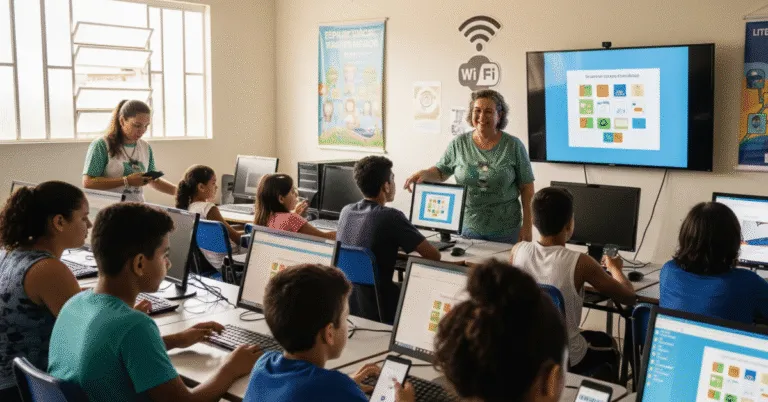 Digital Inclusion: Empowering Communities With Limited Access to Technology
 Effective School Management: Practices for Students and Staff
 Management Theory: Essential Schools and Thinkers
 School Management: Effective Practices for Principals
 School Health and Physical Activity: Policies and Programs
