

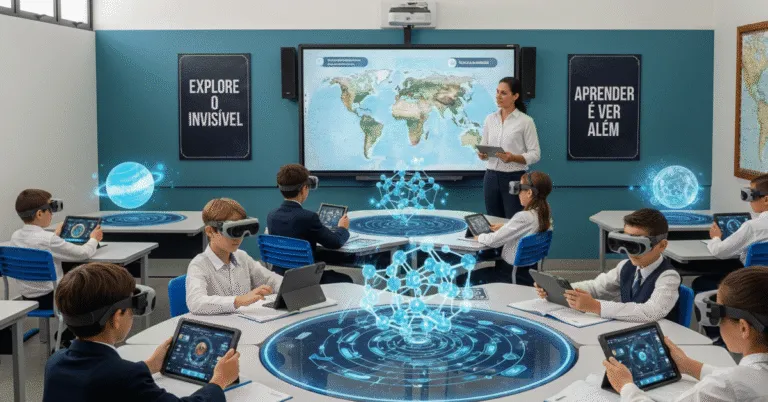
Augmented reality changes how content appears to students: instead of being confined to a page, it gains digital layers over the physical environment, such as 3D models, animations, and interactive labels. In education, this matters because it bridges the gap between abstract ideas and understanding—a difference that can have a real impact in science, math, history, and technical training.
In practice, what separates a memorable activity from a “cool visual effect” is the instructional design. Technology alone doesn’t improve a lesson. What makes a difference is the combination of a clear objective, a well-structured task, and a tool that lets students observe, manipulate, or compare something that would be difficult to see on paper alone.

Here, you’ll find concrete examples, selection criteria, limitations, and tools that really work in the classroom.
The Essentials
- Augmented reality works best when it helps students understand spatial relationships, processes, or scale—not just when it looks impressive.
- For school projects, mobile devices and visual markers are enough for many use cases; dedicated headsets aren’t required.
- The most effective activities combine observation, hands-on interaction, and a quick learning check right after the experience.
- The biggest mistake is adopting the tool before defining the learning objective. The result is a fun activity that’s difficult to assess.
Augmented Reality in Education: What Changes in Teaching
Technically, augmented reality overlays digital objects onto the physical world in real time, using image, surface, position, or geolocation recognition. Put simply, students point a camera at a poster, book, desk, or spot in the schoolyard, and the screen displays virtual elements placed within that context.
This contextual fit is what gives the technology educational value. Instead of asking students to imagine a cell, a volcano, or a prism, a teacher can show a model to scale, rotate it, and highlight specific parts.
The result is often better retention, greater engagement, and less reliance on explanations that are purely verbal.
What sets an augmented reality activity apart from a merely visual aid is its instructional purpose: it should make something observable that would otherwise remain invisible, abstract, or too expensive to simulate.
Where the Technology Makes the Biggest Difference
The most effective uses connect space with understanding. Anatomy, astronomy, geometry, molecular chemistry, historical landmarks, and map reading are strong examples.
Topics that are purely conceptual, such as reading comprehension or ethics, can also use the tool, but require care to keep the lesson from turning into window dressing.
Augmented Reality Examples for Science, History, and Math
Science: Structures, Processes, and Simulations
In science, augmented reality can show what a microscope reveals and what a whiteboard can’t capture. Students can view a cell’s organelles, follow blood circulation, or watch organic matter decompose in layers. Tools with 3D models and animations help explain scale, how parts relate to one another, and the sequence of events. I’ve seen a class that struggled to name the parts of the heart make quick progress after rotating a model, tapping highlighted points, and then taking a short quiz. The improvement came not from the novelty, but from guided interaction.
History: Context, Place, and Storytelling
In history, the digital layer can help reconstruct places that no longer exist. Overlaying an old map on a modern city, displaying an artifact with contextual information, or reconstructing monuments changes how students interpret the past. It strengthens their understanding of historical time and shows that artifacts have a place, scale, and purpose.
When an activity includes geolocation, the schoolyard, a nearby street, or a field trip can become part of the lesson. Students stop seeing historical events as distant and start connecting them to place, movement, and memory.
Math and Engineering: Shape, Volume, and Prototyping
In math, the biggest advantage is being able to visualize objects in three dimensions. Students can manipulate geometric solids, cross-sections, nets, and functions more clearly than they can in a notebook. In technical courses, AR can also help students test prototypes, understand measurements, and spot potential conflicts before building a physical object.
This step is valuable because it reduces waste and construction errors. For example, a virtual prototype can show whether one part will collide with another, whether the proportions are right, or whether the structure makes sense before it’s built.
Tools and Platforms Worth Considering

Not every product on the market is a good fit for schools. Some are expensive, others require powerful hardware, and many take more preparation time than a teacher’s schedule allows. The simplest way to evaluate them is to ask: Can the tool create, share, and reuse experiences without requiring a dedicated technical team?
Read also: Digital Education in Brazilian Schools: What Changed in 2026
No-code platforms and mobile apps can handle most classroom scenarios. Useful features include image recognition, 3D objects, markers, annotations, and the ability to export to a phone or tablet. For public or private schools with limited budgets, this combination is usually more practical than solutions that require dedicated headsets.
Useful sources for learning about the context and adoption of educational technology include UNESCO, which discusses the topic with a focus on access and equity, and the MEC website (Brazil’s Ministry of Education), especially when the goal is to align technology use with a school’s educational policies. For academic research and applications, consult publications from universities and digital learning labs, such as those from the University of Edinburgh.
Practical Criteria for Choosing a Platform
- Compatibility: Does it work on the devices already available at the school?
- Learning curve: Can teachers create an activity without relying on programming?
- Reusability: Can the content be reused with other classes?
- Instructional control: Does the tool let teachers guide what students see and do?
- Privacy: Does it handle data, camera access, and storage responsibly?
How to Plan a Lesson Without Using Technology Just for Its Own Sake
Anyone who works with this technology knows that an activity falls flat when the experience comes before the instructional question. The right order is the reverse: first decide what you want students to understand, then determine whether augmented reality will actually help.
- Set a learning objective. For example: identify parts of a cell, recognize historical landmarks, or interpret the volume of solids.
- Choose a physical anchor. This could be a printed sheet, poster, desk, model, or location at school.
- Plan the interaction. Will students observe, manipulate, compare, or answer questions?
- Plan a learning check. Without a brief assessment, the activity becomes a demonstration.
- Test before class. Lighting, connectivity, camera distance, and the layout of the space can all affect the experience more than you might expect.
This approach works well for short, guided activities, but falls short when a school tries to turn everything into an immersive experience. If students need to read, interpret, and make an argument, AR should be a supporting tool, not the focus of the entire lesson.
Limitations, Costs, and Overlooked Considerations
The promise is compelling, but there are real limitations. The first is infrastructure: older devices may freeze, small screens can be tiring, and unreliable internet can disrupt syncing and model loading. The second is teacher training: without basic familiarity with the tool, teachers spend too much time operating it and too little time guiding students.
Accessibility is another important concern. Experiences that rely heavily on vision, movement, or touch can exclude students with low vision, mobility limitations, or sensory sensitivities. That’s why the tool should come with an equivalent alternative, such as text, audio, verbal description, or a paper or digital record.
Augmented reality may seem like a shortcut to engagement, but it only delivers educational value when the school treats it as part of a lesson sequence, not as a standalone spectacle.
Privacy is another concern, since many apps use the camera, images, and sometimes geolocation. Before adopting a solution, check its data policy, whether registration is required, and what type of content is stored. The ANPD (Brazil’s National Data Protection Authority) is an important resource on the handling of personal data in digital environments.
Ready-to-Try Classroom Activities
Conceptual Scavenger Hunt
Place markers around the classroom or schoolyard and link each one to a question. Students scan a marker, view the digital layer, and answer before moving on. This activity works well for review because it combines movement, reading, and decision-making.
3D Model with Guided Rotation
Use a 3D object to explore its parts, function, and the relationships between structures. In science, this helps with anatomy and biology; in math, with solids and angles; and in engineering, with fit and proportions. The key is to ask students to do something specific: compare, name, or predict.
Timeline in the Physical Space
Place images or cards at different spots around the school and link each one to a historical, scientific, or literary milestone. When students point their device at one, they see supporting material, a short audio clip, or a visual reconstruction. This approach works especially well when students need to put events in chronological order.
How to Tell Whether the Lesson Really Worked
Engagement is useful, but it’s not enough. Assessment should show whether students recognized relationships, explained what they saw, and applied what they learned in another situation. If they only thought the activity looked cool, the objective hasn’t been met.
What to observe
Practical indicator
Example of evidence
Understanding
Recognizes parts and functions
Answers correctly after the interaction
Transfer
Applies the concept in another context
Solves a problem without the digital layer
Independence
Uses the tool with little help
Completes the proposed sequence
Participation
Engages with the content and the group
Explains the discovery to classmates
For a more rigorous assessment, combine teacher observation, a short assignment, and student work. A digital portfolio, a focused quiz, and an oral explanation usually reveal more than a simple “I liked it.”
Next Steps for Integrating AR Without Wasting Time
The best move isn’t to buy the most sophisticated platform. Start with a small, measurable use case you can repeat. Choose one class, one topic, and an activity that genuinely becomes clearer with a digital layer. Then build on what worked and drop what only added to your workload.
If you want to adopt augmented reality consistently, treat the process as an instructional pilot: set a goal, test it with a small group of students, measure learning, and expand only after that. The benefits emerge when technology shortens the path from seeing to understanding to explaining. Recommended action: choose a subject, create a 15-minute activity, and assess the results with a short evaluation that same week.
Frequently Asked Questions
Do Schools Need Special Glasses to Use Augmented Reality?
No. In most cases, phones and tablets are enough to create useful classroom experiences. Dedicated headsets can increase immersion, but they aren’t necessary to get started.
What’s the Difference Between Augmented Reality and Virtual Reality?
With augmented reality, the physical world remains visible, with digital layers added on top. With virtual reality, users enter a fully simulated environment. For K–12 education, AR is often easier to implement because it relies less on expensive hardware.
Which Subjects Benefit Most from Augmented Reality?
Science, history, geography, math, and technical subjects often benefit the most. That’s because they deal with space, scale, structure, and visual context. Still, any subject can use the tool if there’s a clear objective.
Is This Type of Activity Right for Every Class?
It works for many classes, but not in the same way for all of them. Students’ ages, digital independence, and the lesson’s purpose can all affect the outcome. Younger students need more direct guidance and fewer steps.
How Can You Keep a Lesson from Becoming Just Entertainment?
Connect the experience to a question, a task, and a final check for understanding. Without those, students may be impressed and still leave without learning the key content. Technology should support instruction, not replace it.
Are There Privacy Concerns When Using AR Apps?
Yes, especially when an app uses the camera, a user account, or geolocation. Before adopting a solution, read its data policy and check what information is stored. In schools, this isn’t a minor detail; it’s part of the decision.
Artigos Relacionados
 Internet of Things: A Complete Guide with Practical Examples and Applications
 Improving Basic Education: Practical, Measurable Strategies
 Growth Mindset: Practical Techniques and Examples
 Classroom Layouts: Models and Practical Examples
 Augmented Reality in the Classroom: Turning Abstract Concepts Into Hands-On Experiences
 Big Data in Education: Turning Data Into Better Teaching Practices
