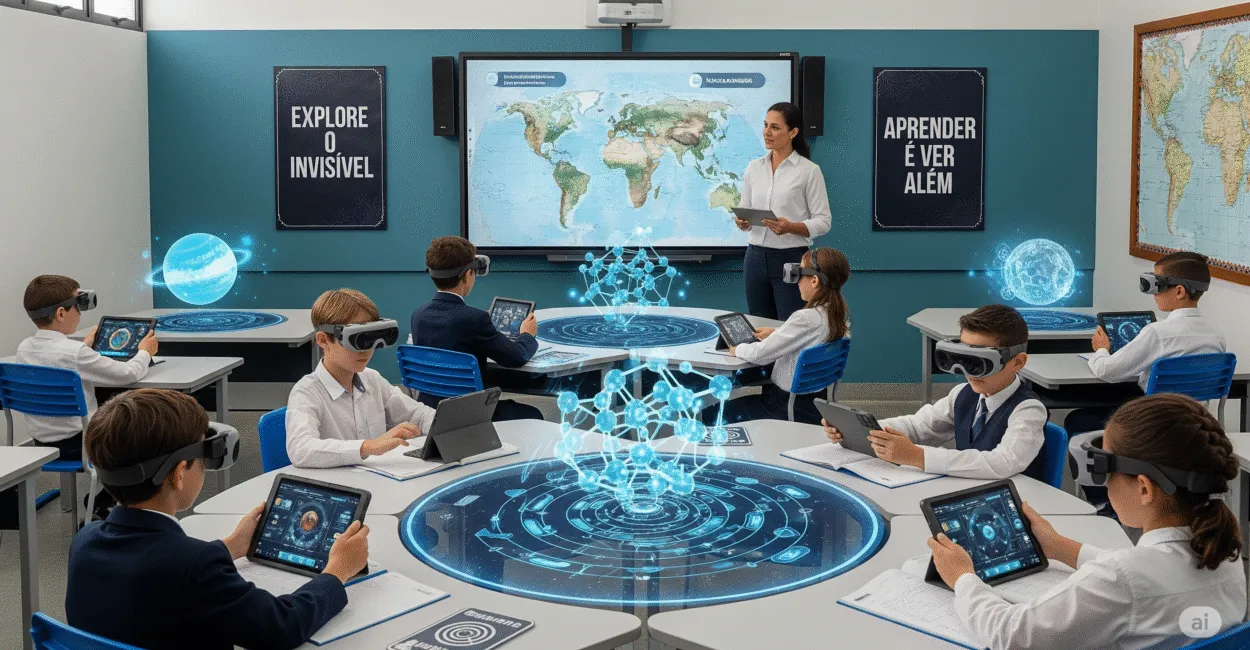
Augmented Reality changes something traditional schools often struggle with: turning abstractions into things students can see, manipulate, and discuss. When a student sees a 3D model on their desk, rotates it, zooms in, compares layers, and connects it to the theoretical material, learning no longer depends on imagination alone.
This matters in practice because not every concept is easy to illustrate on a whiteboard. Molecular structures, the human body, physical phenomena, historical maps, and even complex machines become easier to understand when they are overlaid on the real world.

Here’s what this technology does, where it really works, what its limitations are, and how to use it without getting carried away by the hype.
The Essentials
- Augmented Reality overlays digital objects onto the physical world in real time, creating an interactive layer for learning.
- Its greatest educational value lies in bridging the gap between abstract concepts and concrete observation, improving understanding and retention.
- It works especially well in science, math, geography, and history, but it takes instructional planning—not just technology.
- It fails as a teaching tool when it becomes a spectacle: without a clear objective, it distracts more than it teaches.
- Schools with smartphones, tablets, and reliable internet can already try useful solutions without unrealistic investments.
Augmented Reality in the Classroom and the Role of Immersive Learning
Technically, Augmented Reality is a spatial computing technology that combines digital elements—such as images, animations, text, and 3D models—with the physical environment in real time. Put simply, students still see the classroom, the desk, and the teacher, but they also see a digital layer that responds to their gestures and surroundings.
That changes the dynamic of the lesson. Instead of just listening to information about a topic, students can observe, compare, and interact.
This isn’t just tech for tech’s sake: when visual instruction is thoughtfully designed, it helps students understand scale, volume, proportion, and how parts relate to one another.
What the Technology Actually Delivers
It delivers contextualized visualization. A human heart, for example, doesn’t appear in isolation on just any screen. It can appear on a desk, with highlighted arteries, animated blood flow, and layers the teacher can connect to the lesson. That’s what makes the experience more instructive than a standard video.
Anyone who works with this technology knows that the quality of the experience doesn’t depend on how flashy it is, but on the instructional question it answers. If the question is, “How can students see the relationship between structure and function?” the tool makes sense. If it’s just, “How can I use technology to impress the class?” the effect usually wears off quickly.
In practice, Augmented Reality works best when it supports a clear learning objective. When it becomes a standalone attraction, it loses its educational value within minutes.
Why Visualization Changes How Students Learn Difficult Concepts
The brain learns more effectively when it can connect new information to familiar reference points. That’s why visualization is so helpful with topics involving scale, depth, motion, or internal structure. Material that seemed like “just theory” takes shape, and that shape opens the door to analysis.
In the classroom, the difference is easy to see. A student who didn’t understand the difference between orbit and rotation can now see the movement in three dimensions. Another, who confused atoms with molecules, can see how they’re made up and how their parts relate. The benefit isn’t that the material becomes “too easy”; it’s that cognitive distractions are reduced.
Where It’s Most Useful
- Science: anatomy, the solar system, cell structures, and molecular models.
- Geography: landforms, tectonic plates, biomes, and layered map reading.
- History: reconstructions of monuments, interactive timelines, and historical settings.
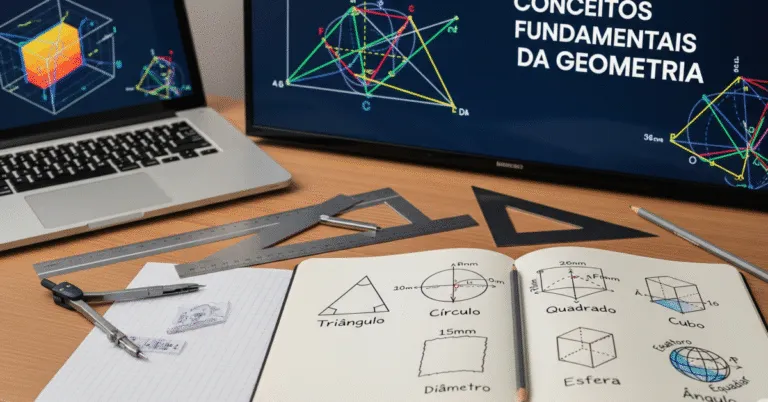
- Math: geometric solids, vectors, and spatial relationships.
One thing to keep in mind: not every topic benefits in the same way. Visualization can be a big help in some lessons; in others, a good discussion, a whiteboard diagram, and a well-designed exercise work better. The tool should reinforce instruction, not replace the teaching method.
Practical Examples That Keep It Simple

Schools that use Augmented Reality consistently and effectively tend to start small. Rather than trying to change the entire curriculum, they choose a challenging unit, test the tool with one class, and see where it actually adds value. This approach is more realistic and more sustainable.
A Simple Example to Try
Imagine an eighth-grade class studying the digestive system. The teacher hands out tablets with an AR app, points them at a printed marker, and displays a layered model of the human body. Students tap the stomach, follow the path food takes, and compare the sequence with their textbook.
What changes isn’t just student attention. The conversation changes, too. Instead of generic questions, students ask specific ones: “Why does this organ appear before that one?” “What happens at this stage?” “How does this relate to nutrition?” The lesson shifts from a presentation to a guided investigation.
The educational leap with Augmented Reality isn’t the visual effect; it’s the ability to turn observation into questions, and questions into explanations.
Tools and Technology in This Ecosystem
In practice, the ecosystem usually includes smartphones, tablets, visual markers, QR codes, 3D models, and platforms compatible with ARCore or ARKit. Some schools use ready-made educational apps; others have teachers and teams create custom experiences for their subjects.
For a broader look at the topic in public policy and educational research, explore UNESCO’s digital education agenda, resources from Brazil’s Ministry of Education (MEC), and the ERIC database, which brings together academic research on educational technology.
The Limitations You Don’t See in the Demo Video
The biggest trap is confusing novelty with effectiveness. A tool can be impressive and still not be very useful if it takes too long to launch, calibrate, or figure out. In many schools, the reality is simple: unreliable internet, too few devices, and students with widely varying levels of digital experience.
There’s another issue that rarely makes it into vendors’ marketing: the technology depends on teacher guidance. Without a clear activity plan, the class looks around, taps on the screen for a few minutes, and then loses focus. The problem isn’t the tool itself, but how it’s used for instruction.
Where AR Often Falls Short
- When the material is mostly text-based and has little spatial content.
- When students don’t have reliable access to compatible devices.
- When the teacher doesn’t connect the experience to assessment or discussion.
- When the school treats the tool as a ready-made solution for every subject.
Accessibility is another important limitation. Students with specific needs may require adapted interfaces, audio, contrast, and visual guidance. Without these accommodations, the activity is less inclusive. Brazil’s National Institute for Educational Studies and Research (INEP) has also shown in its educational studies and surveys that infrastructure and equity remain decisive factors in technology adoption.
How to Plan a Lesson That Uses AR Well
Good planning starts with a question: Which concept can students truly understand only when they see it in action? If there’s no clear answer, the technology may not be necessary. That saves time, money, and frustration.
A Practical Step-by-Step Guide
- Choose material that is difficult to understand visually or spatially.
- Set a measurable learning objective.
- Test the app before class on the same device students will use.
- Prepare a short activity with guided questions.
- Wrap up with an explanation, exercise, or discussion.
This is the part that makes the biggest difference in teacher training. Teachers don’t need to become developers. They need to know how to choose and test a tool, and when to use it in a lesson. That way of thinking matters more than the number of tools available.
What Separates Effective Use from Ineffective Use
Use is effective when the digital experience improves understanding of a concept that would be hard to observe in another way. It’s ineffective when the activity exists just so the school can say it used technology. The difference may seem small, but it determines the outcome.
Effects on Learning, Motivation, and Assessment
The most visible effect is usually on motivation, but that’s just the beginning. When used well, AR can support retention, participation, and reasoning because students move from watching to actively engaging with the material. That changes the kind of attention they bring to the lesson.
It can also change assessment. Instead of testing only memorization, teachers can see whether students interpret relationships, identify parts, draw inferences, and explain processes. This brings lessons closer to deeper skills, rather than simple repetition of terms.
The most important benefit of Augmented Reality in education isn’t “making the lesson look cool”; it’s making visible the relationships students need to understand to build stronger arguments.
Research compiled in ERIC points to a clear trend: the best results occur when the tool is integrated with specific objectives, a planned sequence of instruction, and teacher guidance. Without those elements, the impact tends to be short-lived.
When It’s Worth Adopting—and When It Isn’t
It’s worth adopting when the school has a clear instructional challenge and technology can help solve it. It’s not worth adopting when the idea comes only from a desire to innovate. This kind of honesty prevents waste: not every school needs to start with AR, and not every subject benefits in the same way.
If a school wants to start with little risk, the best approach is a short pilot: one class, one topic, one engaged teacher, and clear evaluation criteria. This format quickly shows whether the experience improves learning or simply sparks initial curiosity.
A Quick Decision Guide
- Adopt it if the material is spatial, invisible, or difficult to demonstrate on a whiteboard.
- Test it if the school has few devices but some room to experiment.
- Avoid it if the infrastructure is so unreliable that the lesson depends on a perfect connection at all times.
If the goal is evidence-based teaching, don’t look for the flashiest tool. Look for the one that improves understanding with as little friction as possible. Augmented Reality does this very well in some contexts—and poorly in others. Recognizing that boundary is a sign of instructional maturity, not excessive caution.
Next Steps
Anyone looking to use this technology in school should start with the right question: Which topics do students keep getting wrong because they can’t visualize them? From there, testing becomes more focused. Choose a lesson, set a simple learning goal, and see whether understanding actually improves afterward.
The best next step is to set up a pilot with clear criteria: time spent using the tool, engagement, conceptual understanding, and ease of implementation. Expand to other classes only if the results are consistent.
Frequently Asked Questions
Is Augmented Reality the Same as Virtual Reality?
No. Virtual Reality replaces the real environment with a fully digital one, while Augmented Reality adds digital elements to the physical world. In education, that matters because AR preserves the classroom context and enriches observation without isolating students from their real surroundings.
Which Subjects Benefit Most from Augmented Reality?
Science, geography, history, and math often see the best results because they deal with structure, scale, motion, and spatial representation. Other subjects can use the technology too, as long as there’s a clear instructional goal. The deciding factor isn’t the subject, but the type of concept.
Do You Need Expensive Equipment to Get Started?
Not necessarily. Many activities work with smartphones or tablets the school already has, along with simple apps and markers. Costs rise when the school wants custom-built content or more advanced equipment.
Does This Technology Improve Learning for All Students?
Not automatically. It helps most when the material calls for visualization and the teacher leads the activity with a clear purpose. In classes without adequate device access or teacher guidance, the benefits may be limited.
What’s the Biggest Mistake When Using Augmented Reality in School?
The biggest mistake is using the tool as an attraction instead of as part of the lesson. When that happens, initial interest is high, but the learning doesn’t last. The technology only makes sense if it helps students observe more carefully, compare more effectively, and explain more clearly.