
Microprocessors are programmable integrated circuits that execute software instructions and coordinate operations in computers, smartphones, routers, cars, and industrial equipment. Often called processors, they perform calculations, make logical decisions, and manage the exchange of data with memory and peripherals.
Understanding how they work helps you interpret specifications without relying on marketing slogans. Clock speed, core count, cache, architecture, and power consumption each describe different aspects of a chip; none alone determines the user experience.

Manufacturing is another part of the equation: production limits influence design choices, price, and energy efficiency.
The essentials
- A microprocessor interprets program instructions and performs arithmetic, logical, and communication operations with other components.
- Performance depends on architecture, IPC, cache, memory latency, temperature, and the ability to parallelize tasks, as well as clock speed.
- Manufacturing combines electronic design, photolithography, deposition, etching, doping, and packaging. Defects can lower yields and raise the cost of each usable chip.
- Chiplets, advanced packaging, and dedicated accelerators help boost performance without relying solely on higher clock speeds.
- The most expensive processor isn’t always the best buy: your choice should match your tasks, budget, and system’s thermal limits.
Microprocessors, instruction processing, and the foundation of modern systems
A microprocessor is an integrated circuit capable of executing instructions stored in a program. To answer the question “What is a microprocessor?” in simple terms, it’s the component that interprets commands and performs operations so a system can carry out tasks. The word “micro” refers to the integration of many components on a small piece of silicon, not to its importance or processing power. CPU stands for central processing unit—the system’s central processing function. In personal computers, the CPU is usually implemented as a microprocessor. In everyday usage, the terms are often treated as synonyms, although “CPU” can also refer to the processing unit within a larger system, while “microprocessor” refers to the integrated circuit that implements it.
What sets a basic chip apart from an advanced one goes beyond clock speed. Core count, cache size, available bandwidth, instruction set, and the ability to predict branches in a program all matter.
That’s why two models with the same clock speed can perform differently on the same task.
Where they show up in everyday life
Microprocessors are found in smartphones, laptops, servers, routers, cars, and industrial equipment. A smartphone processor typically balances speed and power consumption to extend battery life. A server chip may be designed to keep many tasks running at once, while an embedded system may perform a specific function predictably.
The basic job is to execute instructions and exchange data with other components. Priorities vary by context: heat and battery life matter greatly in a portable device, while a workstation also needs sustained performance and the ability to expand its memory.
In every case, the chip depends on the rest of the system.
A fast processor needs the right architecture, data available at the right time, and thermal conditions that let it sustain its workload.
A brief history that explains the chip’s role
The history of processors shows how integration made computing more accessible and brought it to a wider range of products. Released in 1971, the Intel 4004 is recognized as one of the first general-purpose commercial microprocessors.
Later advances increased processing power and made it possible to integrate more functions into less space.
This progress helped drive personal computing, embedded systems, and consumer electronics. The Computer History Museum offers resources on the history of computing that put this period in context.
The industry’s progress also depended on advances in manufacturing processes that could produce increasingly small, dense structures.
How a microprocessor works: the instruction execution cycle
A microprocessor runs programs through cycles that involve fetching, decoding, and executing instructions. This process repeats continuously, although modern processors can overlap stages and work on multiple instructions at once. The cycle explains how a program’s code becomes concrete actions, such as opening a file or calculating the result of an operation.
- Fetch: The processor retrieves the next instruction from memory or, more often, from cache, which stores data for quick access.
- Decode: The control unit interprets the instruction and identifies the internal resources it will need.
- Execute: Processing units perform the operation or send a request to another component.
- Access data: If the instruction needs stored information, the chip retrieves it from registers, cache, or memory.
- Write back the result: The result is stored, and the processor moves on to other instructions while following the order required by the program.
This cycle doesn’t mean every instruction takes the same amount of time. A simple operation may finish quickly; another may wait for data from memory or depend on an earlier decision. Branch prediction and out-of-order execution help keep internal units busy, but they can’t eliminate every delay.
Internal components of a microprocessor and what they do

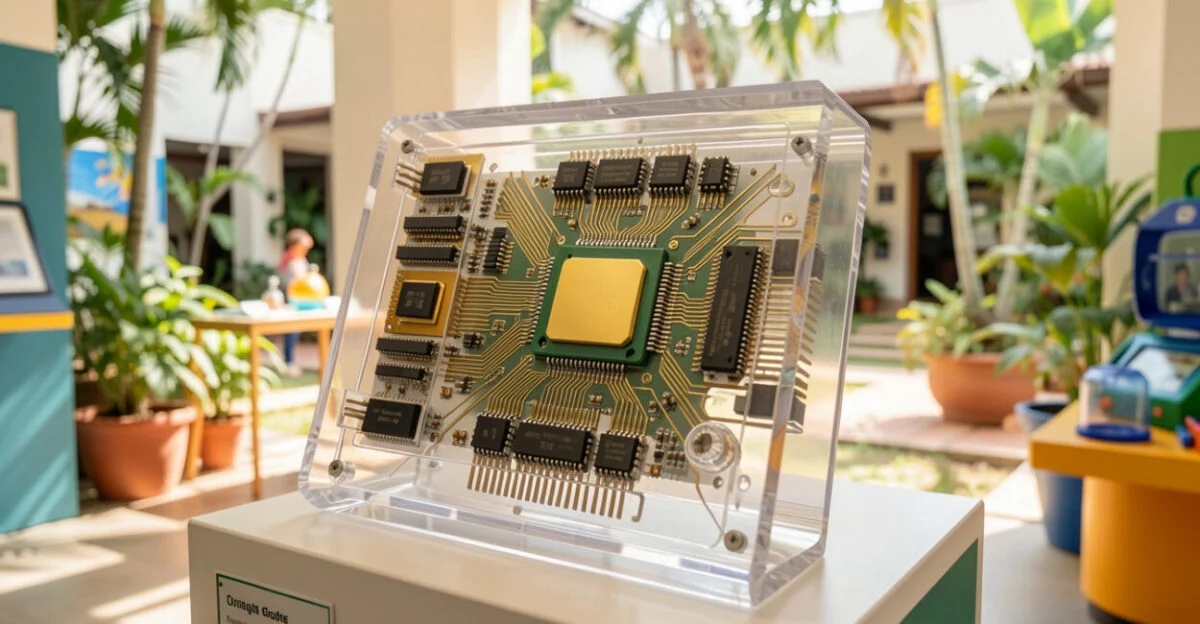
Internal components divide the work of interpreting instructions, calculating results, and moving data. The exact design varies, but many elements are found in processors of different types. Knowing what they do helps explain why cache, cores, and architecture affect performance.
- Control unit: Interprets instructions and coordinates the flow of operations inside the chip.
- ALU: The arithmetic logic unit, responsible for calculations and comparisons.
- Registers: Small, very fast storage areas used for data and addresses being processed immediately.
- Cache: Stores frequently accessed information to reduce the wait for main memory. Processors typically have levels such as L1, L2, and L3, with different capacities and speeds.
- Cores: Units capable of executing instruction streams. Multiple cores can handle parallel tasks when the software supports them.
- Floating-point unit: Performs operations on decimal numbers, which are important in scientific, graphics, and engineering applications.
- Interconnects: Move data among cores, cache, controllers, and other parts of the chip.
A processor may also include memory controllers, integrated graphics, or specialized accelerators. What’s built into the chip depends on its intended use and target cost. When choosing a computer, for example, check whether it has an integrated GPU and whether it supports the software you use instead of assuming all processors offer the same features.
Types of microprocessors: examples and use cases
Microprocessors can be classified by purpose, architecture, and how they’re integrated. General-purpose models run a range of programs, while dedicated or specialized chips accelerate specific tasks. Clock speed, core count, and built-in accelerators can also distinguish models, but they should be considered alongside the intended use.
Category Features Common uses General-purpose Runs a variety of systems and applications; available in configurations with different core counts. Personal computers, laptops, and servers. Low-power or embedded Prioritizes battery life, size, cost, or operation within defined limits. Routers, automotive equipment, and industrial systems. Dedicated accelerator Designed to accelerate a class of operations, often in conjunction with a CPU. Graphics, video, networking, and artificial intelligence tasks. Microcontroller Combines processing, memory, and input/output interfaces on a chip designed for control. Home appliances, sensors, and automation.
Architectures such as x86, ARM, and RISC-V define instruction sets and design options. x86 is widely used in personal computers and servers; ARM is common in mobile devices and appears in other categories as well; RISC-V is an open architecture used in a range of projects. The right choice depends on performance, power consumption, compatibility, and software availability—not on a universal ranking of “best” to “worst.”
Frequency, measured in hertz, indicates cycles per second. It doesn’t directly translate to the number of instructions completed: the work performed in each cycle varies by architecture and task. Multicore systems put multiple cores in one processor; multiprocessor systems use more than one physical processor. Both can increase parallel processing capacity, provided the software and platform can take advantage of it.
From silicon integration to the electrical signal that performs a calculation
The modern microprocessor emerged when the industry learned to combine functions that once required separate components into a single integrated circuit. Released in 1971, the Intel 4004 demonstrated that a complete processor could be sold on one chip. From then on, electronics could pack more capabilities into less space.
Read also: Hyundai HB20: The South Korean Compact That Combines Modernity and Reliability
Integration reduced the number of external connections required between components and paved the way for personal computers, embedded systems, and consumer devices. This history is also tied to the ability to manufacture smaller structures with precision and connect millions or billions of elements in complex circuits.
Why integration changed everything
By combining functions on a chip, the industry reduced the space required and simplified the assembly of many systems. Cost per function and reliability depend on a range of design and production factors, but integration made products viable that would once have required larger, more complex circuits.
This shift made it possible to build processing into watches, cameras, routers, cars, and industrial sensors. In each case, the design balances cost, power consumption, size, performance, and operating conditions.
ISA, architecture, and what software sees
Software communicates with a processor through an ISA, or instruction set architecture. This interface defines the instructions the chip understands and shapes the relationship among hardware, the operating system, and compilers. Architectures such as x86, ARM, and RISC-V offer different ecosystems and implementation options.
RISC-V is open and modular; ARM is common in mobile devices, while x86 is widely used in personal computers and servers. These descriptions reflect trends, not rigid limits. Program compatibility, expected power consumption, and the available toolchain can matter as much as hardware features.
Microprocessor manufacturing: where the engineering gets challenging
Manufacturing begins with the chip’s logical design and ends with packaging the finished component for installation. During the process, circuit patterns are transferred to silicon wafers, layers are deposited and removed, and electrical properties are adjusted. The chips are then tested to determine which ones meet product requirements.
The process requires strict control of materials, alignment, temperature, and cleanliness. A defect can render part of a wafer unusable or affect a chip’s performance and reliability. The more complex the process, the more yield matters: the proportion of usable units affects production costs and, in turn, the final price.
The steps that have the biggest impact on cost
- Silicon wafer: The circular base on which circuits are manufactured.
- Photolithography: Transfers patterns to the material using light and masks.
- Deposition and etching: Add layers and remove selected areas to form circuit structures.
- Doping: Changes silicon’s electrical properties by introducing elements in a controlled way.
- Metallization: Creates connections that allow signals and power to move between areas of the chip.
- Packaging and testing: Protect the circuit, make it easier to install, and verify that it meets specifications.
Reports and technical resources from the Semiconductor Industry Association document the semiconductor supply chain’s industrial importance. Manufacturing also depends on energy, specialized equipment, materials, and logistics. That’s why the cost to buyers isn’t determined by chip design alone: production capacity and availability also play a role.
The challenge of advanced lithography
Manufacturing node names such as 7 nm, 5 nm, and 3 nm identify process generations, but they don’t necessarily correspond to a single physical measurement shared by all manufacturers. More advanced processes may allow greater density or efficiency in some designs, but they also involve higher investment, complexity, and yield risk.
An older node may still make sense for a product designed for low cost, reliability, or high-volume production. This choice affects the architecture: if the available process limits area, power consumption, or cost, the design may favor fewer blocks, greater specialization, or a different core configuration.
The best manufacturing process is the one that meets a product’s performance, power, cost, and volume targets—not necessarily the one with the smallest number in its name.
How architecture shapes performance, power consumption, and temperature
Architecture determines how a microprocessor fetches instructions, uses data, predicts decisions, and distributes work among internal units. Pipelining, cache, branch prediction, and out-of-order execution are among the features that can improve the flow of operations. Their impact depends on the task and the rest of the system.
What has the biggest impact on system responsiveness
- IPC: The number of instructions completed per cycle, depending on the workload.
- Cache: Reduces access time for frequently used data.
- Cores and threads: Increase parallelism when a program can divide up the work.
- Memory latency and bandwidth: Affect tasks that need to access large amounts of data.
- Power consumption and temperature: Can limit sustained clock speed, especially in laptops and compact devices.
A powerful chip may reduce its clock speed when it gets hot or reaches the manufacturer’s power limits. Cooling, the case, motherboard, and firmware settings all affect sustained performance. When evaluating a computer, look at long-duration tests, not just performance peaks recorded for a few moments.
When more cores don’t help
More cores help when an application can distribute work among them. If a program depends on a sequence of steps or wasn’t designed for parallel processing, additional cores may offer little benefit. Web browsing, light editing, and office tasks may also respond better to low latency and strong single-core performance than to a high core count.
Before comparing models, identify the programs you use and look for tests that reflect them. A common mistake is choosing based only on core count or advertised maximum clock speed; another is overlooking memory, cooling, and the device’s power limits.
From raw performance to performance per watt
Increasing clock speed is no longer a straightforward way to get more performance: higher clocks can increase power consumption and heat. As a result, performance per watt, sustained performance, and workload fit have become more important design priorities, especially in mobile devices and data centers.
Chiplets, advanced packaging, and specialized accelerators offer alternatives for combining functions without scaling up every block in the same way. Instead of relying on one monolithic circuit, some designs integrate distinct components in the same package. This approach can make better use of manufacturing, although it also introduces communication and assembly challenges.
Chiplets, HBM, and a new approach to design
Chiplets are silicon blocks that can be combined in the same package. Separating functions can help create products in different configurations and reduce reliance on one large block; the outcome depends on manufacturing costs, connections between blocks, and the yield of the complete package.
HBM, or high-bandwidth memory, is used in systems that need to move large volumes of data, such as some AI accelerators and scientific computing systems. It can increase data-transfer capacity, but it comes with its own costs and integration requirements. It isn’t necessary for every computer or application.
Companies such as TSMC, Intel, and Samsung Foundry manufacture semiconductors. Competitiveness depends on process technology, production capacity, quality, cost, and delivery reliability. A design advance must be viable for production before it can affect the products consumers and businesses can buy.
How to choose a processor without getting lost in specs
Choose a processor based on your main tasks, budget, and device limitations. For web browsing, documents, and video, battery life and a responsive feel may matter more than peak performance. Heavy editing, compiling, and gaming also require you to consider cores, cache, graphics, memory, and the ability to sustain performance over long sessions.
Criteria that help you avoid a bad buy
- Define how you’ll use it: List your most frequent programs and tasks, along with your most demanding applications.
- Compare relevant tests: Look for results from programs similar to yours, tested under comparable conditions.
- Check power consumption and cooling: A thin laptop may limit the sustained performance of a powerful chip.
- Check the platform: Verify compatibility with the motherboard, memory, operating system, and available updates.
- Calculate the total system cost: Include memory, storage, cooling, and, if needed, a graphics card.
Synthetic benchmarks are useful for comparisons, but they don’t replace results from real-world applications. A “top 10 processors” ranking also changes depending on the criteria: gaming performance, content creation, efficiency, price, or availability. To make a useful list, first choose a use category and compare only models that fit your budget and platform.
The future of microprocessors and what it means for users and businesses
Future designs are likely to combine efficiency, specialization, and integration of different types of processing units. Processors may work alongside GPUs and accelerators for video, security, or artificial intelligence. Distributing tasks lets each operation run on the most suitable unit, provided the software and operating system support it.
Heat, cost, and physical complexity remain engineering constraints. Not every research advance reaches mass production, and the adoption of 3D stacking, new interconnects, and other materials depends on technical and economic feasibility. The impact on purchase prices also varies by application and availability.
What to watch in the next few product cycles
- Greater integration of CPUs, GPUs, and NPUs, units designed for artificial intelligence tasks.
- Wider use of chiplets across different product categories.
- Applications of open architectures such as RISC-V in projects that value flexibility and customization.
- Hardware-based security features and isolation mechanisms.
- Efforts to make supply chains more resilient and improve component availability.
When buying or designing a system, weigh performance, power, cost, and reliability. Manufacturing constraints help explain why two processors with similar specifications can have different prices—and why a more specialized chip may perform better on the task it was designed for.
Frequently asked questions about microprocessors
What is the function of a microprocessor?
It interprets and executes program instructions, performs logical and arithmetic operations, and coordinates the exchange of data with memory and other components. Its specific role depends on the software and the system’s capabilities.
What are the main types of microprocessors?
There are general-purpose processors, low-power or embedded chips, and accelerators dedicated to specific tasks. Microcontrollers are a related category that integrates processing, memory, and input/output interfaces to control defined functions.
What’s the difference between a CPU and a microprocessor?
CPU stands for central processing unit, or the function responsible for executing instructions. A microprocessor is the integrated circuit that implements that unit. In everyday usage, the terms usually refer to the same component in a computer.
What’s the difference between a microprocessor and a microcontroller?
A microprocessor is typically used in more general-purpose systems and may rely on external memory and peripherals. A microcontroller integrates a CPU, memory, and input/output interfaces on the same chip, making it common in appliance controls, sensors, and automation.
Do more cores always mean better performance?
Not necessarily. The benefit depends on whether a program can distribute work across the cores and whether memory and cooling can keep up. For tasks that don’t parallelize well, a processor with fewer cores may respond faster.
What is lithography in chip manufacturing?
It’s a step that transfers patterns to a silicon wafer using light and masks. These patterns help form the circuit structures; the manufacturing process also includes other steps, such as deposition, etching, and doping.
Why do some processors run hotter than others?
Heat depends on power consumption, architecture, clock speed, the number of active units, and cooling conditions. A processor running under load for longer may get hotter than one that reaches a brief performance peak.
Does architecture matter more than clock speed?
Clock speed and architecture need to be considered together. Frequency indicates cycles per second, while architecture influences how much work the chip can complete per cycle and how it accesses data. Performance also depends on the task, memory, and thermal limits.
Can RISC-V replace x86 and ARM?
RISC-V is an open alternative used in a range of projects, but adoption depends on software, tools, compatibility, and production capacity. x86, ARM, and RISC-V serve different contexts; no single architecture replaces the others in every use case.