
How to protect online accounts from scams and hacks
A compromised account can open a path to fraud, data exposure, and loss of access to other services. To reduce this risk, start with accounts that control others, such as your email, then move on to passwords, authentication, scam prevention, and recovery. The steps below follow that order of priority; none eliminates all risk.
Online account security is a set of safeguards that protects your digital identity, limits unauthorized access, and helps you regain access after an incident. Put simply, these are habits and settings that make it harder for someone else to get into your account and help you respond quickly if something goes wrong.

1. Start with your most important accounts
To keep your accounts secure, protect your primary email, bank accounts, social media profiles, and services used to recover other passwords first. Next, create unique passwords, turn on two-factor authentication, review active sessions, and keep your recovery information up to date. This order reduces the risk of a breach spreading to other services.
Email deserves priority because it often receives password reset links. If someone takes over your inbox, they may try to take over accounts connected to it. Make a list of your most important services and start with those that provide access to money, documents, communications, or recovery for other accounts.
Also check which services are connected to your Apple, Google, or Microsoft account, for example, and remove permissions you don’t recognize or no longer use. Menu names vary by platform. For more guidance on the data shared between services, see this data privacy guide.

2. Use a strong, unique password for each service

A strong, unique password makes it harder for attackers to guess your credentials or reuse leaked combinations on other sites. If you use the same password for more than one service, a breach at one could make it easier to access the others. Choose long, unique passwords; when a platform allows it, a passphrase made of unrelated words may be easier to remember.
Good practices:
- Don’t reuse passwords, even for services that seem unimportant.
- Avoid information that’s easy to find, such as your name, birthday, or favorite sports team.
- Change your password if you suspect it has been exposed or the service reports an incident.
- Store your credentials in a password manager instead of writing them in unprotected files.
A password manager creates and stores different passwords, protected by a master password. Protect that password carefully and set up recovery options for the manager itself. The NIST (the U.S. National Institute of Standards and Technology) provides authentication guidance in its digital identity guidelines; specific requirements may vary by service, so follow the platform’s instructions too.
3. Turn on two-factor authentication
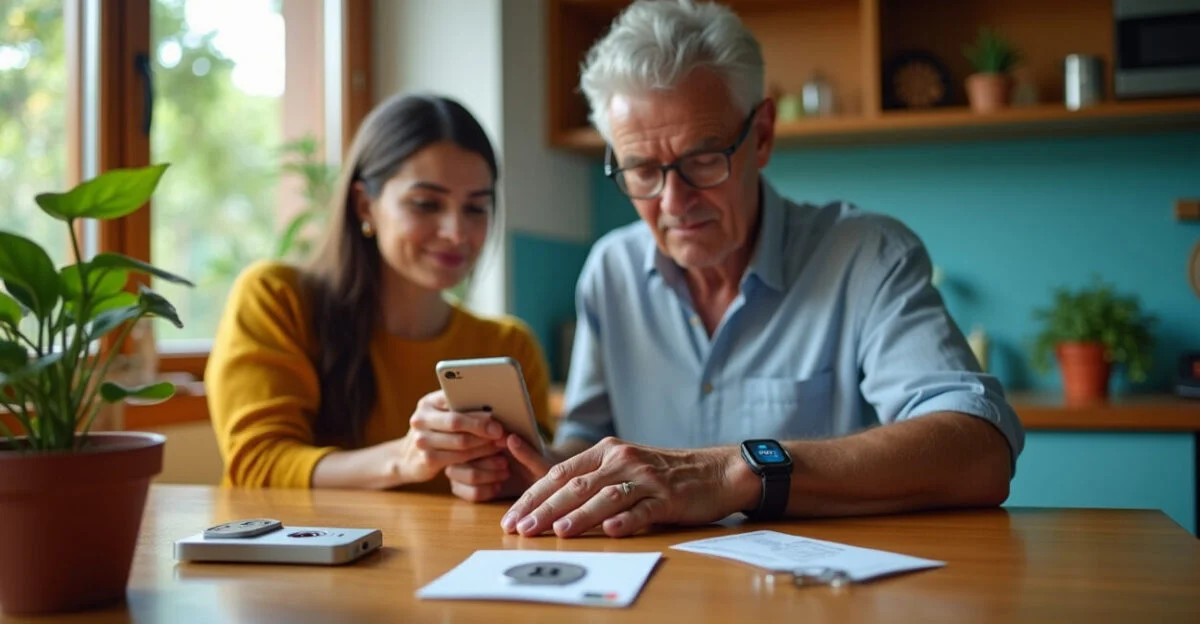
Two-factor authentication, also called multifactor authentication (MFA), requires a second proof of identity in addition to your password. This could be a temporary code, a physical security key, or an approval in an app. It reduces the risk of a breach if your password is discovered, but each method has limitations and depends on the options the service offers.
Method Best for Key benefit and limitation Authenticator app People who want to avoid relying on cellular service Generates temporary codes; secure your device and save your recovery codes. Security key High-value accounts and people who can keep a physical key safe Protects against many phishing attacks; you may need a backup key. SMS People who don’t have access to other options Better than using a password alone, but may be vulnerable to attacks targeting your phone number.
Turn on the available option for your email, bank, and social media accounts. If the service provides recovery codes, store them somewhere other than the device you use for authentication. CISA (the U.S. Cybersecurity and Infrastructure Security Agency) explains multifactor authentication and recommends using it as an additional layer of protection. The best choice depends on the account’s risk level and the methods the service supports.
4. Recognize phishing and attempts to steal account access
Phishing is an attempt to obtain passwords, codes, or other information by impersonating a trusted company or person. The message may arrive by email, text, social media, or messaging app. Be wary of urgent requests to confirm information, pay a bill, or share codes sent to your phone.
Check the sender’s full email address and look at the domain in links before opening them. If a message says your account will be locked, go to the service through its official app or type a known address into your browser instead of using the link you received. Don’t open unexpected attachments, and never share authentication codes: a request like that may be an attempt to take over your account.
A common mistake is checking only the sender’s display name. That name can be copied; the actual address helps you determine whether the message came from the expected domain. CERT.br, Brazil’s National Computer Emergency Response Team, provides guidance on scams and internet security in its online security guides.
5. Protect your email and review recovery options
To protect an email account, use a unique password, turn on two-factor authentication, and secure your recovery methods, such as your phone number and alternate email address. Then review active sessions, connected devices, and any forwarding rules or filters you didn’t create. These options are usually in the security settings, though menu names and paths vary by provider.
Make sure your recovery phone number and email address still belong to you. An old number or an inaccessible address could prevent you from legitimately recovering your account; an unfamiliar detail could indicate an unauthorized change. Remove connected apps you don’t recognize and sign out of sessions on lost or unused devices.
If your provider offers login alerts, turn them on. An unexpected sign-in notification may give you time to change your password and end active sessions before someone uses your email to reset other passwords.
6. Know what to do if you suspect a breach
If you suspect an account has been compromised, use a trusted device to change your password and secure the associated email account first. Then sign out of active sessions, remove unfamiliar devices and apps, review your recovery information, and contact the service through its official channels. If you can’t sign in, use the recovery process provided by the platform.
If the account is connected to a bank or payment service, notify the financial institution through its official channels and monitor transactions. Don’t use a phone number or link sent in a suspicious message. If you used the compromised password elsewhere, change it on those services too, creating a different password for each one.
Can you lock an account? Many services offer options such as a temporary lock, deactivation, signing out of all sessions, or account recovery. The available options vary, and some require identity verification. If there’s no lock button, contact the official support center and ask for the specific process for a compromised account.
7. Protect your devices and data
Update your operating system, browser, and apps to fix known vulnerabilities. Use a screen lock with a passcode or biometrics, and set it to lock automatically. Avoid accessing sensitive services over public Wi-Fi unless necessary; an open network can expose your connection to risks, and using an official app doesn’t mean you can ignore browser warnings.
Back up important files and make sure you can restore them. A backup stored separately can help if your device is lost, damaged, or infected. To organize computer maintenance, this resource on programs that launch at startup can help you review what runs when your device turns on; remove only items you can identify with confidence.
As a reference, the four pillars of data security are confidentiality, integrity, availability, and authenticity. The wording may vary by context: confidentiality limits who can see data; integrity protects against unauthorized changes; availability ensures access when needed; and authenticity helps verify identities and sources. Passwords and MFA support access control, while updates and backups help preserve the other pillars.
How to choose the right measures for you
Start by asking which accounts can reset other passwords or move money. Protect those first. Then check which authentication methods each service offers and choose the most secure option you can maintain and recover, without storing backup codes alongside your primary device.
If you manage accounts for family members or work, coordinate your security measures with your organization’s rules and avoid sharing credentials. Review your settings after changing your phone, phone number, or email address. The exact steps vary by platform, and features such as security keys may not be available for every service.
Frequently asked questions
How often should I change my passwords?
Change a password if you suspect it has been exposed, receive a breach notification, or notice unfamiliar access. If none of these signs appear, prioritize long, unique passwords instead of frequent changes that can lead to predictable variations.
Does an authenticator app prevent every account breach?
No. It reduces some risks, but it can’t prevent every type of fraud, such as someone taking over your authenticator account or tricking you into approving a sign-in. Use it with a unique password, and check any unexpected authentication requests.
What are the four pillars of data security?
A common model includes confidentiality, integrity, availability, and authenticity. Terminology may vary between frameworks, but these principles help you consider who can access data, whether it has been changed, whether it will be available, and whether the identity involved is legitimate.
Artigos Relacionados
 Financial Scams: How to Spot Them and Protect Your Money
 Productivity in 2025: 7 Real-World Work-from-Home Hacks
 Integrated Pest Management: How to Protect Crops
 Soybean Farming: From Planting to Harvest
 How to Learn From Mistakes Without Giving Up on Your Goals
 How to Bounce Back From Failure Without Giving Up on Your Goals