
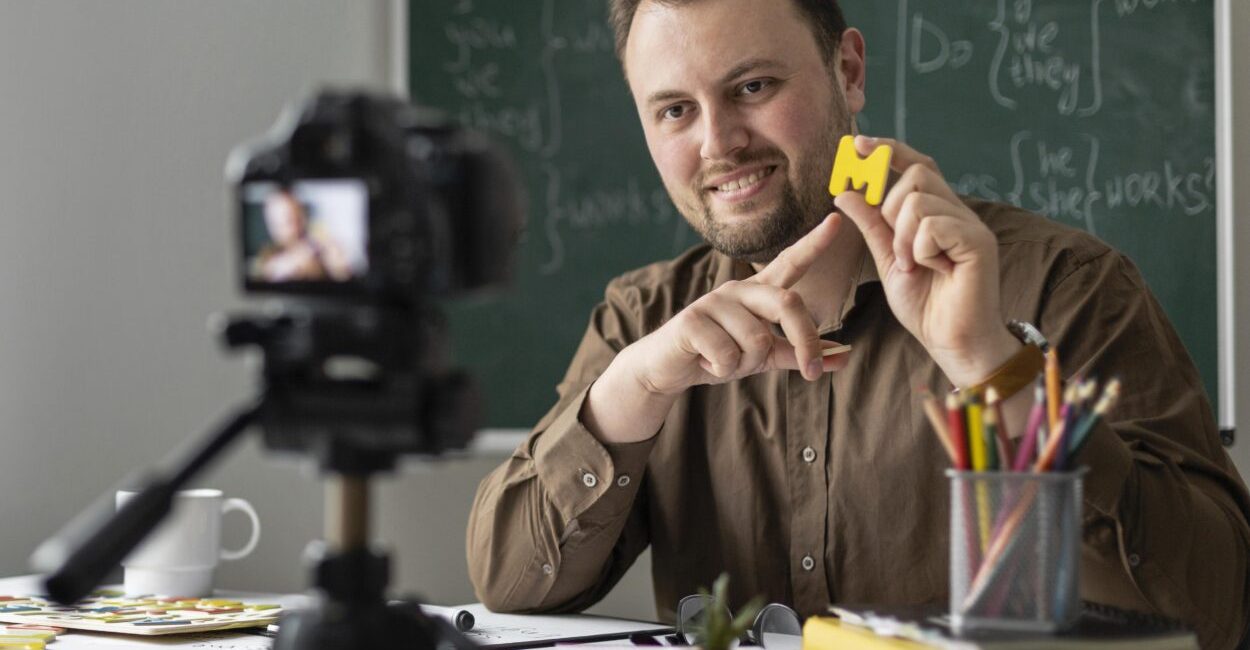
A recorded lesson can look and sound poor even with a high-resolution camera: hunting focus, distant audio, and badly positioned lighting are more distracting than a few fewer megapixels. When choosing professional cameras, compare the type of production, autofocus, external microphone support, and the cost of the complete setup. The best equipment depends on what you need to record and how you plan to publish it.
For educators, a professional camera can be used to document activities as well as produce courses, live lessons, and on-demand materials. It’s easier to make a confident decision when you separate your photography needs from your requirements for livestreaming or recording video for long periods. The term “professional” doesn’t refer to a single technical category or a minimum price. In general, it describes equipment with the features, control, and reliability needed for a demanding workflow. Choose based on the results you want and each model’s limitations.

Key takeaways
- Resolution alone doesn’t determine image quality. The sensor, lens, lighting, focus, and exposure technique all play a role.
- For lessons streamed from a computer, confirm connection compatibility and continuous operation before you buy.
- The true cost includes a lens, microphone, lighting, support, and storage—not just the camera body.
- Canon, Nikon, and Sony offer different product lines. Compare models and compatible lenses for your intended use rather than assuming one brand is best for everyone.
What professional cameras are and who can benefit from them
A professional camera is a photo or video camera that offers the control and features needed for a consistent production workflow, such as manual exposure settings, interchangeable lenses on many models, and useful connections for accessories. For educators, one may make sense when a computer’s built-in camera or a phone already limits framing, focus, low-light image quality, or recording flexibility. That doesn’t mean every teacher needs to buy a dedicated camera. A well-positioned webcam can work for short meetings; a recent phone with good lighting and a stable mount may be enough for simple videos. A dedicated digital camera becomes more worthwhile when you produce content regularly, need different framing options, or plan to reuse the equipment across multiple projects.
One important distinction: security cameras record and monitor spaces, while photo cameras are designed to create photos and videos. So lists of the “10 best security cameras” cover a different category and won’t help you choose equipment for lessons, portraits, or courses.
How to choose a professional camera
Choose based on your workflow: for portraits and demonstrations, prioritize reliable autofocus and suitable lenses; for livestreaming, check connectivity, power, and stability; for recorded lessons, consider recording time, audio, and ease of use. A well-chosen professional camera can handle these tasks without requiring features you’ll never use. Megapixels indicate how many dots make up an image, but they aren’t a shortcut for judging image quality. Sensor size and performance, the lens, available light, focus, and image processing also matter. For lessons published online, Full HD is sufficient for many uses, while 4K can be useful for cropping or preserving more room to edit.
Autofocus with face or eye detection helps when the teacher moves around in front of the camera. Image stabilization reduces shake in some situations, but it doesn’t replace a tripod when the framing needs to stay fixed. Ergonomics matter, too: easy-to-use menus, an articulating screen, and quick access to exposure settings make recording less prone to mistakes.
User and use Priority What to check New teacher, recorded lessons Simple operation and reliable focus Articulating screen, microphone input, and recording format compatible with the platform Livestreaming Stable connection and extended use Compatible USB or HDMI, continuous power, and no unwanted interruptions Activity and portrait photography Suitable lens and exposure control Lens availability, low-light performance, and ergonomics On-the-go production Low weight and long battery life Battery, charging, stabilization, and portability of the setup
Before you buy, run through this checklist: define your primary use; choose the resolution you need; confirm focus and connections; add up the cost of accessories; and check compatibility and support on the manufacturer’s official website. A common mistake is buying only the camera body, then discovering that the kit lens doesn’t frame the teacher well or that there’s no input for the microphone you want to use. Specifications vary by version and market. Review the documentation for the exact model, such as the official pages for the Canon EOS 2000D and the Sony RX100 VII, before you decide. Accessory compatibility and local availability may vary.
DSLR, mirrorless, and compact cameras: differences and examples

A DSLR uses a mirror and an optical viewfinder. A mirrorless camera forms an image without that system and usually offers an electronic viewfinder or screen-based framing. Compact cameras combine the lens and body for easier portability. Each type can work for an educator, but lens availability, size, and video features affect the experience. The Canon EOS 2000D is an entry-level DSLR that can teach photography controls and accept lenses compatible with the Canon EF/EF-S system. As an older-generation model, its value depends on price, condition, and market availability. Compare its video and autofocus features with current alternatives rather than assuming it’s the best camera for beginners.
The Canon G7 X is a compact camera line known for combining a lens and body in a portable package. Since there are several versions, check the specific model and its audio, focus, connection, and recording features. “Nikon Coolpix” also covers different cameras, not one set of specifications; identify the model number before comparing.
Sony, Canon, and Nikon mirrorless cameras may offer systems with current autofocus and video features, but performance depends on the model and lens. “Semi-professional camera” isn’t a standardized category: retailers use the label in different ways, so compare specifications and your specific needs.
Read also: B3 event to discuss how math education can help bring Brazil into the digital economy
If livestreaming is your priority, don’t choose a compact camera just because it’s small. Check whether it can work as a webcam or provide a suitable HDMI signal, and whether your computer recognizes the device. In some setups, a simpler camera that connects without adapters may be more practical than an advanced camera body.
Choosing a camera for beginners: value and brands
For beginners, the best camera is one that lets you learn without getting in the way of your intended use. If photography is the priority, a DSLR or mirrorless camera with interchangeable lenses gives you room to grow. If you want to record lessons at a desk, a compact camera or even a phone can reduce costs and setup time.
Canon or Nikon? Neither brand is best for every price range and application. Compare the specific model, available lens system, ergonomics, video features, and support in your area. Sony should also be part of the comparison when autofocus and video are priorities, but brand reputation doesn’t replace checking compatibility and total cost.
To assess value, add up the camera body, lens, microphone, memory card, spare battery, and support. Then compare that total with the alternative you already own. If a webcam or phone can meet your quality needs, upgrading may not provide a proportional return.
There’s no “best professional camera in the world” for every purpose: a camera suited to a studio may be too heavy for outdoor recording, while a portable compact camera may limit your ability to change lenses. Your budget also affects the recommendation, and prices and inventory change, so this guide doesn’t list prices or claim current availability.
How to choose a professional camera for education
For recorded lessons, prioritize framing, continuous autofocus, and a microphone input. For a Zoom, Meet, or Teams livestream, first confirm whether the device works over USB or needs an HDMI capture card, and check compatibility with your computer and chosen software.
In a hybrid class, a fixed camera can capture the teacher, but not necessarily the board or students. If the lesson switches between explaining concepts and demonstrating objects, plan for two angles or a secondary camera. A wide-angle lens can show more of the room, but may also distort objects near the edges.
Digital transformation in education involves choices about content and access, as well as equipment. A good image can improve communication, but an expensive camera won’t fix poorly structured explanations or replace clear audio.
One detail that’s easy to overlook: run a recording test using the same duration and framing as the actual lesson. The battery indicator, heat, memory card space, and the camera’s ability to maintain focus may behave differently during long recordings than they do in short clips.
Accessories and setup for content production
Audio often deserves priority over a more expensive lens. A lavalier microphone can capture the teacher’s voice consistently while they move around; a shotgun microphone may work better in front of the camera. Check the connection type: microphone inputs may be 3.5 mm, while XLR is common on dedicated audio equipment. Adapters don’t guarantee compatibility on their own.
A tripod keeps the frame steady and frees your hands for teaching. A diffused light source placed in front of the face tends to produce a more even result than a bright lamp pointed directly at the person. Choose a lens focal length based on the space: a wide-angle lens helps in small rooms but can alter the appearance of people near the edges.
The memory card must be compatible with the camera and fast enough for the selected recording format. For continuous livestreaming, consider external power and a suitable cable. Whether you need an HDMI capture card depends on your computer and camera. To put your setup together, see the complementary equipment and confirm compatibility before buying.
Before an important lesson, record a short clip and check the image, audio, focus, and synchronization in the final file. This simple test can catch problems such as a microphone plugged into the wrong input or a camera that frames the shot well on screen but doesn’t deliver the same result during a livestream.
A professional camera as an investment for educators
Think of the camera as a production asset: estimate how many lessons, courses, or livestreams you’ll make, how much time the equipment will save, and what other uses it will have. If you produce content only occasionally, renting, borrowing, or starting with a phone may be more practical than buying a complete setup.
The cost doesn’t end with the purchase. Lenses, batteries, memory cards, lighting, maintenance, and storage can add to the investment. A camera body with interchangeable lenses may also require more time to learn. For educators who sell courses or grow an audience on platforms such as YouTube, Hotmart, and Udemy, a camera can support a business, but returns depend on the content, distribution, and demand—not the equipment alone.
Also check out the selection of professional cameras for educators as a starting point for comparing categories. Before buying any model, verify the specifications for the available version with the manufacturer and confirm support for accessories you already own.
The next step is to write down three real-world use cases, such as recording a lesson, livestreaming, and photographing activities. For each one, note the resolution, connection, audio, and lens requirements. Then compare the cost of a complete setup with the option of using equipment you already have.
Frequently asked questions
How many megapixels do you need to record lessons?
For video, look at the recording resolution, such as Full HD or 4K, rather than relying only on the camera’s photo megapixel count. The sensor, lens, lighting, and focus also affect the results.
Is the Canon EOS 2000D a good camera for beginners?
It can be a good option for learning photography with interchangeable lenses, as long as the price and condition make sense. For video and livestreaming, compare its features with newer models and confirm it has the connections you need.
Can a compact camera be used for online courses?
Yes, if it offers suitable framing, reliable focus, and a connection mode compatible with your recording or livestreaming needs. Since the lens is built in, check that its field of view works in your space.
Do I need a different lens for every lesson?
No. A kit lens can work for many lessons with a fixed camera. An additional lens is worthwhile only when the framing, lighting, or working distance calls for something your current lens can’t provide.
Can I use a photo camera as a webcam?
It depends on the model and computer. Some cameras connect over USB and have a webcam function; others require an HDMI output and capture card. Check the official documentation before setting up your system.
Can I use a security camera to record video lessons?
Generally, it’s not the right choice: security cameras are designed for monitoring, not for producing lesson footage and audio with creative control. For courses, look for a photo camera, webcam, or phone that works with your recording setup.
[/CONTENT]Artigos Relacionados
 Automated Learning Tools: A Complete Guide to Better Learning
 Distance Learning: 12 Essential Tips to Get the Most Out of Online Education
 Paid Traffic Manager: A Complete Guide to This Essential Digital Marketing Career
 Networking: Essential Strategies for Building Powerful Professional Connections
 Professional Cameras for Educators: Essential Tools for Digital Learning
 Digital Transformation in Education: How to Revolutionize Learning
