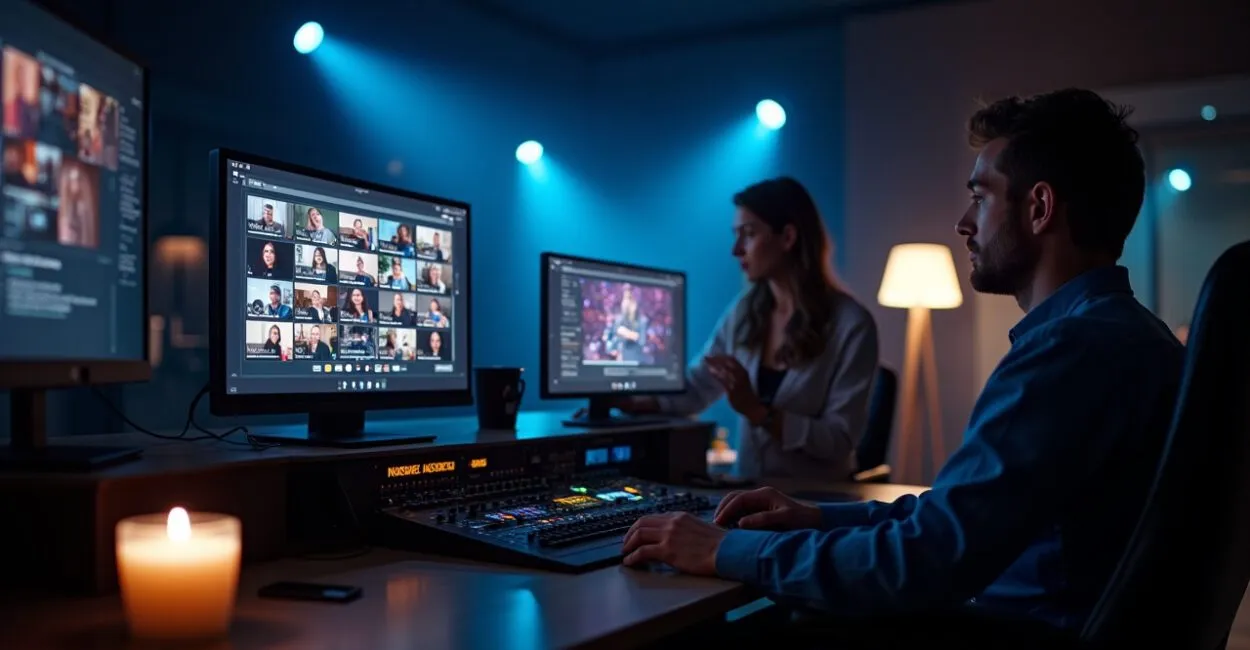
A live talk can look perfect onstage and fall apart on screen. When you search for a streaming platforms for talks comparison, the biggest question is simple: how do you maintain video quality and real interaction without breaking the budget? Here’s the straightforward answer technical guides rarely provide: what works in the real world for events that need to turn attention into results.
Why Video Quality Varies So Much Between Zoom, StreamYard, and YouTube
Not all “HD” is created equal—and that can determine whether your talk looks professional or amateur. Zoom prioritizes stability with multiple participants; StreamYard focuses on image quality and simple layouts for interviews; YouTube delivers reach and high bitrates for recorded presentations or long broadcasts. In real-world tests, YouTube maintained a higher bitrate for longer, but required a decent encoder. The right choice depends on the format: a live panel calls for Zoom; a solo talk, StreamYard or YouTube.

Interaction That Matters: Chat, Q&A, and Real-Time Reactions
Interaction isn’t just “questions in the chat”—it’s engagement that keeps the audience watching until the end. A streaming platforms for talks comparison highlights clear differences: Zoom offers robust breakout rooms and polling; StreamYard makes it easy to feature live comments and names on screen; YouTube excels at high-traffic chats and moderation. If you need to collect questions, Zoom comes out ahead. If you want to integrate comments into the video and display viewer names, StreamYard is more straightforward.

How Much Does It Cost to Turn Your Talk Into a Professional Event?

The real cost isn’t just the subscription—it includes equipment, staff, and prep time. Paid plans include Zoom Pro/Business and StreamYard Professional, while YouTube works through Studio and encoders; their pricing varies. Zoom is affordable for meetings; StreamYard charges more for branding features; YouTube is free for basic streaming, but may require paid hardware and software. Do the math: sound engineer’s time + a decent webcam + a license = the actual cost. Many teams underestimate this and sacrifice quality.
Integration: Tools That Make Your Talk Feel Like Part of Your Brand Ecosystem
Integration is what turns a stream into an experience—with registration, CRM, recording, and analytics. A streaming platforms for talks comparison shows that Zoom has plugins for LMS platforms and calendars; StreamYard integrates easily with Facebook and LinkedIn; YouTube offers in-depth analytics through Google. If you need to send automatic follow-ups to registrants, check for Zapier or webhook support. Without integration, you’ll have an audience—but no data or ROI.
A Surprising Comparison: Expectations Versus the Audience’s Experience
The expectation is “a flawless stream”; the reality is often “lag and bad audio”—until you adjust the settings. At a test event, we expected native 1080p on Zoom but got 720p because of upload limitations. StreamYard delivered a better layout and overlays, but required more upload bandwidth from the presenter. YouTube maintained quality with a dedicated encoder. The takeaway: run a real-world load test. The biggest surprise is that a good connection doesn’t guarantee a proper mix—poorly equalized audio kills engagement faster than bad video.
Common Mistakes That Ruin a Broadcast—and How to Avoid Them
Avoiding these mistakes protects your reputation better than buying the most expensive equipment.
- Starting without an internet test: check upload speed and stability 48 hours ahead.
- Ignoring audio: a bad microphone can cost you 60% of your audience’s attention.
- Failing to plan for moderation: unmoderated chats become chaotic and distracting.
- Choosing a platform based on price alone: total cost includes time and integrations.
- Having no backup: a second laptop or hotspot can prevent a cancellation.
A Real-Life Story: The Day a Backup Saved a Conference
A team planned a hybrid seminar for 1,200 registrants. At 9 a.m., the primary encoder froze. The event was streaming on StreamYard, so the presenter went live from a cellphone using the producer’s hotspot. The feed was back up in 7 minutes, and the audience barely noticed. Having a backup plan isn’t overkill—it’s reputation insurance. A streaming platforms for talks comparison shows that teams with redundancy earn credibility.
Want official data on bandwidth and usage? According to the Banco Central (Brazil’s central bank), digital infrastructure and network reliability directly affect critical services. For best practices in accessibility and broadcasting, consult the Brazilian government’s public administration guidance on making digital events inclusive.
A Practical Decision: Which Platform Is Right for Your Event?
There’s no universal “best”—only the best fit for your goals and budget. Here’s a quick guide: if your priority is interaction with many participants and Q&A, choose Zoom. For events with a single presenter that need polished visuals and overlays, choose StreamYard. For maximum reach and high-quality recordings, choose YouTube with an encoder. You can combine them: use Zoom for internal interaction and stream to YouTube for broader reach—and make sure everything integrates with your CRM.
Here’s something to think about: will your audience remember what you said, or how good you looked on screen? The answer will determine whether you host another event.
Which Platform Offers the Best Video Quality for Long Talks?
YouTube usually offers the best video quality for long broadcasts because it supports higher bitrates and remains stable with dedicated encoders. However, this requires the right equipment and setup. StreamYard delivers good quality for single-presenter talks, with easy-to-use overlays. Zoom may limit resolution on basic plans when there are many participants. Choose based on event length, number of cameras, and upload capacity. Testing before the event is essential to confirm quality.
How Can I Keep the Audience Engaged Without Losing Stream Quality?
Combine tools: use Zoom or another platform for interactive sessions, then stream to YouTube or StreamYard when you need broader reach. Set up chat moderation and clear rules for questions. Use live polls and breakout rooms for small groups. Avoid spreading the conversation across too many channels: clearly tell participants where to interact. Add responses to your CRM for follow-up. Practice and a dedicated producer can make all the difference in keeping things running smoothly.
How Much Should I Invest Beyond the Platform Subscription?
The real cost includes a quality microphone, a decent camera, lighting, reliable bandwidth, and technical staff time. A basic professional setup can cost more than the platform’s annual subscription. Also budget for rehearsals and redundancy (a second laptop or hotspot). If you hire a studio or producer, include those fees. For paid events, these investments often pay off through better retention and conversions.
Can I Use Multiple Platforms at the Same Time Without Losing Quality?
Yes, but it takes planning. It’s common to use Zoom for interaction and stream to YouTube or Facebook for broader reach. To maintain quality, use a local encoder (OBS, vMix) or a service that supports simulcasting. Make sure you have enough upload bandwidth and test latency across platforms. Establish a clear workflow: who handles transitions, overlays, and recording? Without that coordination, the audience experience can feel fragmented.
Which Metrics Should I Track After the Talk to Measure Success?
Focus on average retention, peak viewership, average watch time, number of questions, and chat engagement. For sales or lead generation, track direct conversions, registrations, and lead quality in your CRM. Also review reconnection rates and technical reports (buffering, latency spikes). These numbers show not just how many people watched, but how engaged they really were. Use the metrics to improve your next event.
Artigos Relacionados
 Streaming Platforms for Talks: Zoom, StreamYard, and YouTube Compared
 Talent Pool Comparison: Use a Platform or Build Your Own
 Certificate Templates for Talks: 12 Professional Designs, Design Tips, and Free Tools to Download Now
 Industry-Recognized Online Course Certificates: How to Choose Trusted Platforms, Prove Your Skills, and Strengthen Your Resume Fast
 Intensive vs. Traditional Study Schedules: A Detailed Comparison of Benefits, Risks, and When to Choose Each for Mid-Level Public Exams