

Hybrid classrooms combine in-person and remote instruction at the same time, allowing students in the classroom and online to learn together with the support of technology. This model matters because it expands access, accommodates different learning paces, and requires clear teaching practices and infrastructure to be effective.
To start implementing hybrid classrooms, establish routines, identify the minimum infrastructure needed (camera, microphone, and LMS platform), and plan interaction strategies that bring the two groups together. Understanding how to organize time and classroom dynamics is essential for consistent results.

This article covers teaching practices, physical and technological infrastructure, sample routines, lesson schedules, and formative assessment for hybrid classrooms, with practical suggestions and comparisons to guide teachers and administrators.
Instructional planning for hybrid classrooms
Set clear learning objectives
Start by defining measurable learning outcomes for each session in a hybrid classroom. Clear objectives guide the selection of activities that work for both in-person and remote students, aligning instruction, assignments, and assessment. Use observable verbs to make it easier to develop rubrics and provide feedback.
When setting lesson goals, consider whether students have equivalent opportunities: what should an online student and an in-person student be able to demonstrate by the end? This helps you choose digital tools and physical resources that support equitable participation.
Review objectives before and after class to adjust pacing and instructional support. Including digital skills goals is also useful because it helps students become more independent on the platform being used.
Choose active, collaborative methods
Active learning methods (flipped classroom, project-based learning, case studies) work well in hybrid classrooms because they encourage interaction and accountability. These approaches let you divide tasks between in-person and online formats while maintaining instructional cohesion.
Use mixed groups (combining in-person and remote students) to encourage collaboration and digital empathy. Real-time collaboration tools (shared documents, digital whiteboards) make working together possible.
Assign clear roles within teams and establish regular check-ins to track progress. This keeps remote students from becoming passive and ensures everyone participates.
Use ongoing formative assessment
Use brief, frequent formative assessments to track learning in hybrid classrooms. Quick quizzes, live polls, and digital checkpoints help identify difficulties and adjust instruction in real time.
Use shared rubrics to make expectations clear to both in-person and online participants; this also makes grading and constructive feedback easier. Immediate feedback is essential for maintaining engagement and reinforcing learning.
Also plan opportunities for self-assessment and peer assessment. These build metacognition and accountability, regardless of where students participate.
Technology and infrastructure for hybrid classrooms
Essential equipment and setup
Basic equipment for hybrid classrooms includes a wide-angle camera, a directional microphone, a projector or monitor, and a computer with a reliable internet connection. Set up the room to capture teachers’ voices and images, as well as the board, clearly.
Position the camera to capture both the teacher and in-person students when needed, and use lapel or tabletop microphones to reduce background noise. Test the audio and video before every class.
Also consider backup options (a portable battery, mobile hotspot) to reduce the impact of connection problems and keep remote students connected to the lesson.
Recommended platforms and digital tools
Choose a reliable LMS platform to centralize content, activities, and assessments for hybrid classrooms. Video conferencing tools with recording, breakout room, and chat features are preferable because they support both asynchronous and synchronous interaction.
Integrate collaboration apps (shared documents, digital whiteboards) and systems for real-time responses (polls, quizzes) to keep students engaged. Prioritize tools with accessibility features and mobile compatibility.
When selecting services, ensure they meet privacy policies and local regulations, and provide teacher training and technical support during class.
Maintenance, security, and connectivity
A preventive maintenance policy keeps hybrid classrooms running: update software, check cables, and clean equipment. A regular inspection schedule reduces the risk of equipment failures during important classes.
Adopt basic digital security measures, such as user authentication, access controls for virtual classrooms, and regular data backups. These help protect assessments and learning records.
Monitor connection quality and provide guidance for remote students with limited bandwidth, such as downloadable materials and offline activities that can be synced later.
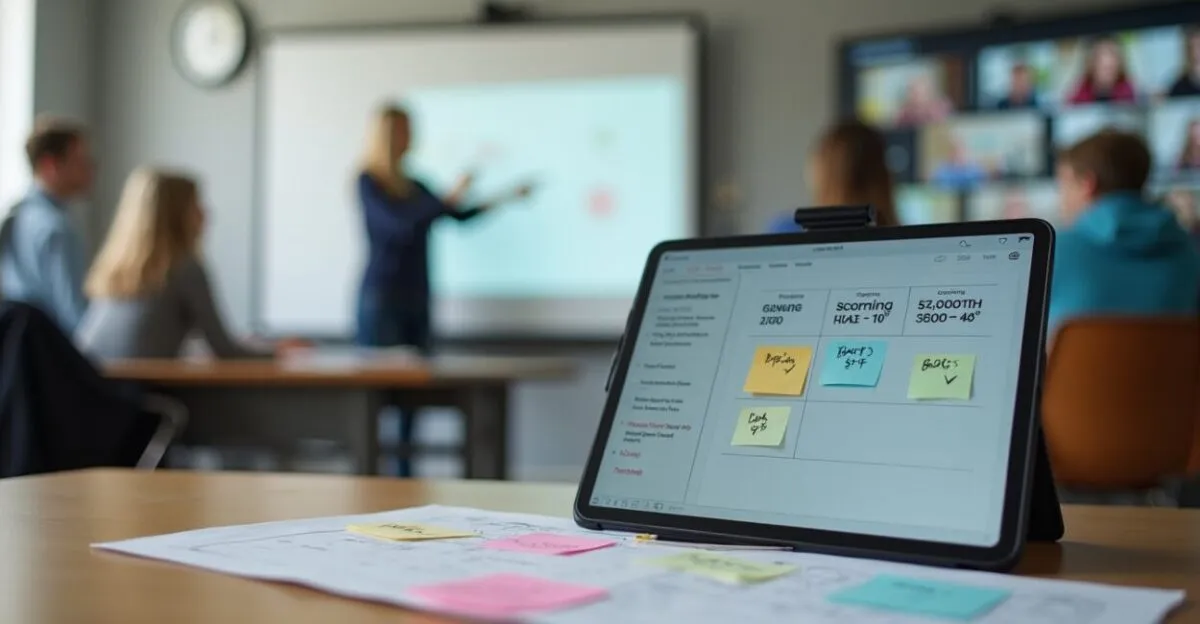
Class routines and time management in hybrid classrooms

Structure the lesson in blocks
Organize each class into blocks: opening (10 minutes), instruction and activities (30–40 minutes), and wrap-up (10–15 minutes). This structure makes the best use of time and smooths transitions between synchronous and asynchronous activities in hybrid classrooms.
During the opening block, do quick checks (attendance, the day’s objective) and technology checks; during the main block, alternate between explanations, group work, and guided activities; during the wrap-up, summarize learning and assign homework.
Use visible timers and sound alerts when needed to signal transitions, helping in-person and remote students stay on pace.
Participation and interaction routines
Set clear participation routines: use the chat to signal questions, raise a virtual hand to speak, and set time limits for speaking. In hybrid classrooms, explicit rules reduce people talking over one another in person and online.
Encourage interaction across groups with rotating roles (remote moderator, in-person note-taker) to balance participation. Combine directed questions with quick polls to hold students’ attention.
Record responses in a shared document so everyone can follow along and refer to them during later assessment, ensuring participation is transparent and documented.
Step-by-step guide to starting a hybrid class
- Prepare: Check equipment and digital resources before class begins.
- Connect: Open the virtual classroom and confirm that remote students are present.
- Introduce: Explain the objectives and agenda for the session.
- Engage: Launch a collaborative activity that brings remote and in-person students together.
- Consolidate: Summarize the lesson and explain any follow-up assignments.
This step-by-step guide helps standardize how classes begin and end, reducing wasted time and improving the learning experience for everyone.
Ideal teaching methods and activities for hybrid classrooms
Flipped classrooms and microlearning
The flipped classroom model assigns theory for students to study in advance and reserves class time for practice, making it effective in hybrid classrooms. Pre-recorded materials and guided readings give everyone a similar foundation of knowledge.
Pair it with microlearning: short videos, quizzes, and summaries that students review before class reduce cognitive load and leave more time for applied activities during the synchronous session.
This strategy promotes independence and makes classroom time easier to manage by reducing long lectures and increasing collaboration and feedback during class.
Collaborative projects and problem-based learning
Interdisciplinary projects and problem-solving encourage students to apply knowledge in real-world contexts, making them a good fit for hybrid classrooms. Divide tasks among online research, collaborative work, and live presentations.
Use clear rubrics and regular checkpoints, with digital submissions that make it possible to monitor progress. This helps ensure accountability among in-person and remote team members.
Encourage presentations with both in-person and remote participants to build multimodal communication skills and ensure the solutions students develop are visible to everyone.
Authentic assessment and meaningful feedback
Authentic assessments (portfolios, presentations, multimedia projects) measure skills in context and work well in hybrid classrooms. They let students demonstrate learning in ways that go beyond traditional tests.
Provide detailed feedback in writing and through audio or video to make your responses more useful. Ongoing feedback guides improvement and motivates students to revise their work.
Plan small-group review sessions to discuss feedback, encourage peer learning, and reinforce course content.
Assessment, adaptation, and inclusion in hybrid classrooms
Rubrics, criteria, and equity
Use shared rubrics with objective criteria to ensure fair assessments in hybrid classrooms. Rubrics reduce subjectivity and make expectations clear to all students.
Adapt criteria when students have limited access to technology by offering equivalent alternatives (offline submissions, extended deadlines) without compromising academic rigor.
Include digital participation and remote collaboration in rubrics to recognize skills that matter in a hybrid environment.
Accommodations for students with disabilities
Hybrid classrooms should include accessible accommodations: real-time captions, materials in alternative formats, assistive technology, and extended assessment time. These support inclusion and compliance with educational policies.
Work with a support team (coordinator, technician, inclusion specialist) to plan individualized accommodations. Ask students about their preferences to find practical adjustments.
Document accommodations in the course plan to ensure transparency and make them easier to replicate in other classes or subjects.
Comparing assessment approaches
| Approach | Advantages | Limitations |
|---|---|---|
| Online tests | Quick and measurable | Risk of academic integrity violations |
| Portfolios | Assess both process and finished work | Take time to grade |
| Hybrid presentations | Build communication skills | Depend on technical quality |
Classroom strategies and physical setup for hybrid classrooms
Room layout and signage
Arrange the room so the camera and microphone capture the teacher and some of the in-person students. Keep aisles clear and make sure everyone can see the board. Visual signage (signs, colors) can mark recording and quiet zones to minimize noise.
Arrange desks or chairs in a semicircle when you want whole-group interaction, and use modular tables for group activities. Set up workstations with chargers and network ports to support students using their own devices.
Communicate routines for using the space (who uses the microphone, when to record) in advance to avoid confusion and ensure privacy rules are followed.
Behavior and communication protocols
Set clear codes of conduct: when to use cameras, when to mute microphones, how to respect others’ turns to speak, and how to interact in the chat. These protocols help reduce interruptions and misunderstandings in hybrid classrooms.
Encourage inclusive language and use mediation strategies when conflicts arise. Combine nonverbal cues (gestures) with digital tools (reactions, polls) to help the groups interact.
Review protocols with students regularly and adjust them based on their needs and feedback, fostering a shared sense of responsibility.
Classroom resources and maintenance
| Resource | Check frequency | Responsible party |
|---|---|---|
| Camera | Weekly | Technical team |
| Microphones | Before every class | Teacher |
| Wi-Fi connection | Daily | IT |
Management, teacher training, and institutional policies
Ongoing training and professional development
Teachers need specialized training for hybrid classrooms, including how to use an LMS, video conferencing tools, instructional design, and remote engagement strategies. Training programs should include hands-on workshops, observation, and peer feedback.
Encourage communities of practice where teachers can share resources, lesson plans, and solutions to common problems. Mentoring between experienced and new teachers speeds up the adoption of effective practices.
Offer short courses and reference materials so teachers can regularly update their instructional approaches and keep up with technological and educational innovations.
Institutional policies and support
Institutions should formalize policies for hybrid classrooms that cover schedules, technical responsibilities, recording rights, and assessment. Clear policies guide teachers, students, and technical staff, preventing conflicts and confusion.
Provide technical support during classes (remote help desk or on-site technician) and funding for basic equipment. Institutional planning prevents teacher overload and ensures high-quality hybrid instruction.
Include institutional performance metrics (satisfaction, achievement, access) to monitor impact and guide future investments.
Scalability and sustainability models
To scale hybrid classrooms, take a gradual approach: pilot the model in selected classes, collect data, make adjustments, and expand over time. This reduces risks and helps the institution learn which practices are most effective.
Prioritize sustainable solutions (durable equipment, software with institutional licensing) and budget for maintenance. Partnerships with vendors and training programs can help reduce costs.
Monitor quality and cost-effectiveness indicators to adjust investments and ensure hybrid classrooms remain viable in the medium and long term.
Conclusion
Hybrid classrooms require instructional planning, appropriate infrastructure, and clear routines to bring in-person and remote students together. By using active learning methods, formative assessment, and inclusive accommodations, you can create a richer, more accessible learning experience.
Start with pilot programs, invest in teacher training, and document your processes. Hybrid classrooms can expand educational opportunities: try new approaches, evaluate the results, and make ongoing adjustments. When you’re ready, implement a standard routine and assess the results.
Frequently asked questions
How can I set up a hybrid classroom on a limited budget?
To set up hybrid classrooms with limited resources, prioritize essential equipment: a reliable computer, a wide-angle webcam, and a quality microphone. Use free or low-cost video conferencing platforms and a basic LMS. When it’s safe, make use of teachers’ and students’ personal devices, and run pilots with small classes to validate your approach before expanding. Partnerships with vendors and educational funding opportunities can help you purchase additional equipment. Focus on teacher training to make the most of available resources and establish clear routines that minimize technical problems.
What strategies help keep remote students engaged?
Remote engagement in hybrid classrooms depends on frequent, varied interactions: quick polls, directed questions, mixed-group assignments, and individual check-ins. Divide the class into blocks and alternate activities to help students stay focused. Use short multimedia resources and assign group roles to encourage shared accountability. Provide immediate feedback through quizzes and comments in collaborative documents. Brief opportunities for social interaction can also help build connections. Ongoing monitoring through checkpoints and participation records makes it possible to intervene early when students disengage.
How can I assess in-person and online students fairly?
Fair assessment requires clear criteria and tools that account for different circumstances. Use detailed rubrics that describe expectations for both work and process, including digital participation. Combine summative and formative assessments (portfolios, presentations, quizzes) and offer equivalent alternatives for students with limited access. Record evidence of learning on digital platforms to ensure transparency. Authentic, collaborative assignments make it possible to assess practical skills regardless of where students participate. Communicating criteria and deadlines in advance reduces uncertainty and conflict.
What accommodations do students with disabilities need?
Accommodations include real-time captions, transcripts, accessible materials (text, audio, and Braille when needed), and assistive technology compatible with the platforms used in hybrid classrooms. Offer extended time for assessments, alternative submission options, and support from a specialized tutor. Consult the student and inclusion professionals to determine individualized accommodations, and document them formally. Ensuring digital tools are compatible with accessibility resources is essential, as is training teachers to provide accommodations sensitively and effectively.
Which indicators can I use to measure the success of hybrid classrooms?
Useful indicators include in-person and remote participation rates, academic performance compared with traditional classes, retention rates, and student and teacher satisfaction. Also assess engagement in activities (poll responses, assignment submissions), resource accessibility, and the number of technical incidents. Qualitative feedback and classroom observations can help interpret quantitative metrics. Monitor cost-effectiveness and the impact on inclusion to guide decisions about expansion. Use these indicators to adjust teacher training, policies, and technology investments.
Sources and recommended reading: UNESCO – Education, EDUCAUSE Review, Brazil’s Ministry of Education
Artigos Relacionados
 Big Data in Education: Turning Data Into Better Teaching Practices
 Digital Education: Transforming Teaching with New Technologies
 Intensive In-Person Course to Pass Your Exam
 Formative Assessment: Practices to Improve Teaching
 Effective Teaching: Practical Strategies for Better Results
 Teacher Training: Professional Development for Innovative Teaching
